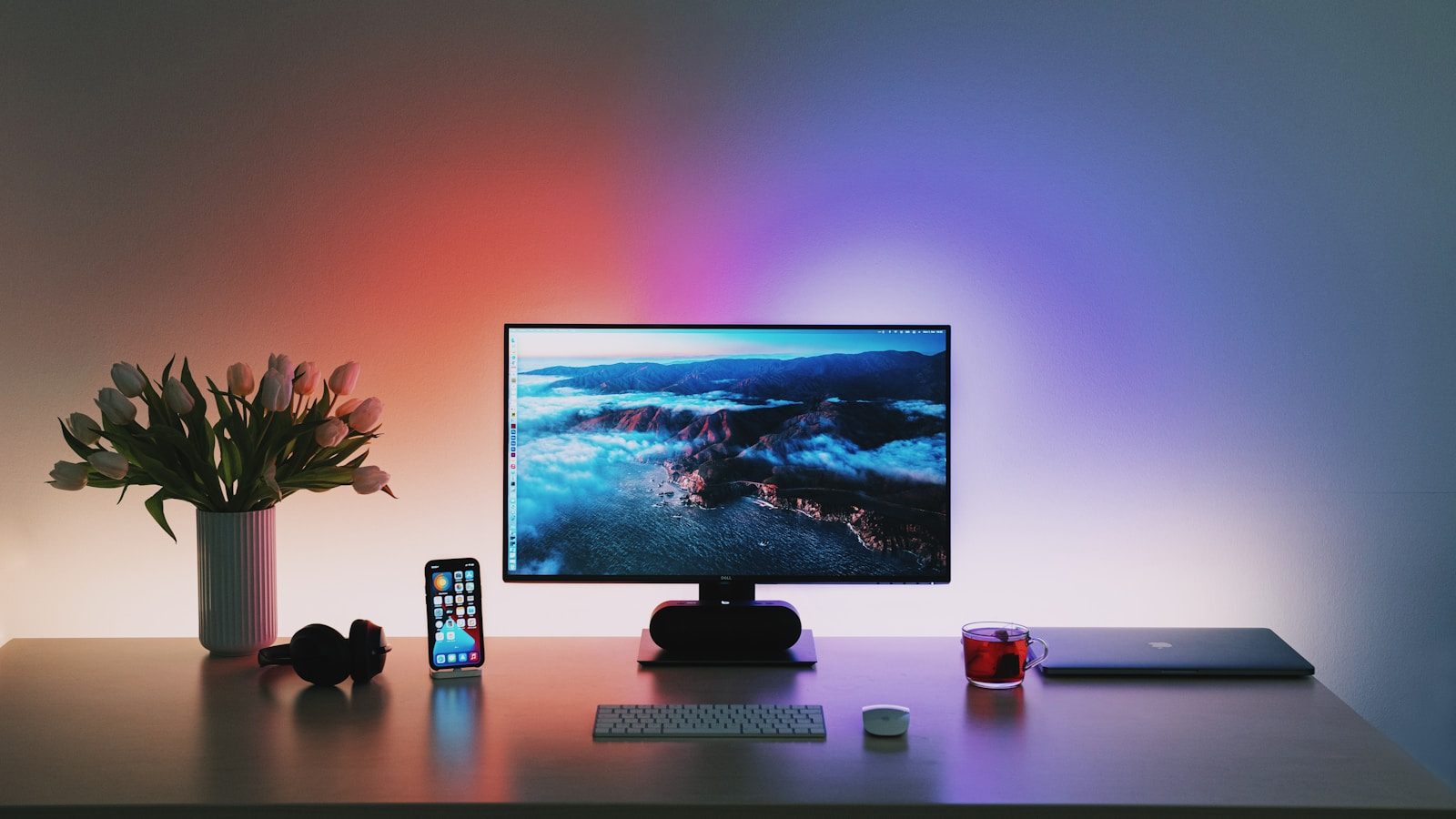
Your monitor is the single highest-impact hardware investment in your home office.
You spend more time looking at it than any other piece of equipment you own. Its size, resolution, and color accuracy determine how much information you can see simultaneously, how clearly you can read text after six hours of work, and how professional your video call background appears to clients.
Yet most remote professionals underinvest here — continuing to work from a laptop screen or a budget monitor purchased years ago, unaware of the measurable productivity gains that come from a properly sized, properly configured external display.
Research from Jon Peddie Research consistently shows that multiple monitors or a single large external monitor increases productivity by 20–50% for knowledge workers, depending on task type. The primary mechanism is simple: more screen space means fewer context switches, less window management, and more simultaneous information visibility.
In 2026, the monitor market offers exceptional value across every price point. This guide identifies the best options for remote professionals at each budget level — with honest assessments of who each monitor serves best.
- What to Look for in a Home Office Monitor
- Quick Comparison Table
- 1. LG 27UN880-B Ergo — Best Overall for Remote Professionals
- 2. Dell U2723D — Best for Professional Accuracy and Build Quality
- 3. LG 27GL83A — Best Value QHD Monitor
- 4. Dell S2722DC — Best USB-C QHD Monitor Under 0
- 5. BenQ EW2880U — Best 4K Monitor Under 0
- 6. Samsung 32″ M8 — Best Large-Screen Monitor for Home Office
- 7. LG 34WN80C-B — Best Ultrawide for Multitasking Professionals
- Dual Monitor Setups: When One Is Not Enough
- Monitor Ergonomics: Getting the Setup Right
- For Canadian Professionals
- FAQ
- Conclusion
What to Look for in a Home Office Monitor
Size: 27 inches is the practical minimum for a primary work monitor in 2026. At standard desk distances, 27 inches provides enough screen real estate for comfortable side-by-side window management without requiring head movement. 32 inches is increasingly common for professionals who work primarily with documents, spreadsheets, or multiple application windows simultaneously.
Resolution: 1080p (Full HD) is acceptable at 24 inches but noticeably soft at 27 inches and above. QHD (2560×1440) is the appropriate resolution for a 27-inch primary work monitor — sharper text, more usable screen space, without the GPU demands of 4K. 4K (3840×2160) is worth considering at 32 inches and above, particularly for professionals working with visual content.
Panel type: IPS (In-Plane Switching) panels deliver accurate colors and wide viewing angles — important for professionals who review visual content or work with multiple people viewing the screen. VA panels offer better contrast ratios at lower prices but narrower viewing angles. TN panels have the fastest response times but poor color accuracy and viewing angles — not appropriate for professional work use.
Refresh rate: For professional work, 60Hz is adequate. Higher refresh rates (144Hz+) benefit gaming but provide no meaningful advantage for document work, spreadsheets, or video calls.
Connectivity: USB-C with Power Delivery is the most practical connectivity feature for modern laptop users — a single cable carries video, data, and laptop charging simultaneously, eliminating desk cable clutter. Look for at least 65W Power Delivery for effective laptop charging. HDMI and DisplayPort remain relevant for desktop users and older laptops.
Eye care features: Flicker-free backlighting and low blue light modes reduce eye strain during extended sessions. These are standard features on most quality monitors in 2026 but worth confirming before purchasing.
Ergonomics: Height adjustment, tilt, and swivel allow you to position the monitor correctly for your posture. Fixed-stand monitors that cannot be height-adjusted are a false economy — incorrect monitor height is a significant contributor to neck and back strain.
Quick Comparison Table
| Monitor | Size | Resolution | Panel | USB-C | Price (USD) |
|---|---|---|---|---|---|
| LG 27UN880-B Ergo | 27″ | 4K | IPS | ✅ 96W | $449–$499 |
| Dell U2723D | 27″ | QHD | IPS | ✅ 90W | $449–$529 |
| LG 27GL83A | 27″ | QHD | IPS | ❌ | $279–$329 |
| Dell S2722DC | 27″ | QHD | IPS | ✅ 65W | $299–$349 |
| BenQ EW2880U | 28″ | 4K | IPS | ✅ 60W | $349–$399 |
| Samsung 32″ M8 | 32″ | 4K | VA | ✅ 65W | $499–$699 |
| LG 34WN80C-B | 34″ | WQHD | IPS | ✅ 60W | $499–$599 |
1. LG 27UN880-B Ergo — Best Overall for Remote Professionals
The LG 27UN880-B Ergo earns the top position on this list for a reason that is immediately apparent the moment you set it up: the Ergo stand.
Rather than a conventional stand that sits on your desk surface, the Ergo mounts via a clamp to the back of your desk — freeing the entire monitor footprint as usable desk space and enabling precise positioning across a range of heights, angles, and depths that fixed stands cannot match.
For remote professionals working at desks not specifically designed for monitor use — dining tables, kitchen counters, or compact home office furniture — the Ergo stand’s flexibility is genuinely valuable.
Specifications:
- 27-inch 4K IPS panel
- 96W USB-C Power Delivery — charges most laptops at full speed
- USB-C, HDMI, and DisplayPort connectivity
- Height, tilt, swivel, and pivot adjustment via the Ergo arm
- HDR10 support
- Flicker-safe and low blue light certified
Display quality: The 4K IPS panel delivers sharp text and accurate colors. At 27 inches, 4K provides noticeably crisper text than QHD — a meaningful benefit for professionals who read and write extensively. DCI-P3 color coverage is rated at 95% — adequate for professionals who occasionally review photos or visual content.
USB-C performance: The 96W USB-C Power Delivery is the highest on this list — sufficient to charge MacBook Pro 14″ and most Windows laptops at full speed while connected. A single USB-C cable from laptop to monitor handles video, data hub, and charging simultaneously.
Where it falls short: The 4K resolution demands more GPU processing than QHD — on older laptops, this may cause thermal or performance issues. The Ergo stand, while excellent for positioning, adds complexity to initial setup compared to conventional stands.
Pricing: $449–$499 USD. Frequently available closer to $399 during sales periods on Amazon US and Amazon Canada.
Verdict: The strongest overall choice for professionals who want 4K resolution, USB-C single-cable connectivity, and superior ergonomic positioning flexibility.
2. Dell U2723D — Best for Professional Accuracy and Build Quality
Dell’s UltraSharp line has been the professional monitor standard in enterprise environments for decades, and the U2723D continues that tradition with the best color accuracy and build quality available at its price point.
Why it stands out:
The U2723D uses Dell’s IPS Black panel technology — delivering a contrast ratio of 2000:1, significantly higher than conventional IPS panels at 1000:1. The result is deeper blacks and better shadow detail that makes extended document and content work noticeably more comfortable.
Factory calibration ensures Delta E < 2 color accuracy out of the box — meaning the monitor displays colors with professional precision without requiring manual calibration. For professionals who review visual content, presentations, or design work, this accuracy matters.
Specifications:
- 27-inch QHD (2560×1440) IPS Black panel
- 90W USB-C Power Delivery
- USB-C, HDMI, DisplayPort, and USB hub connectivity
- Height, tilt, swivel, and pivot adjustment
- ComfortView Plus built-in blue light reduction
- 5-year Dell Advanced Exchange warranty
Build quality: Dell UltraSharp monitors are built to enterprise durability standards. The stand is among the most stable available, and the cable management system is genuinely well-designed — routing cables internally through the stand arm for a clean desk setup.
The 5-year warranty: Dell’s Advanced Exchange warranty replaces defective monitors before you return the original — minimizing workflow disruption. For a primary work monitor, this warranty coverage is a meaningful practical advantage over competitors offering shorter or less responsive warranty service.
Where it falls short: QHD rather than 4K at this price point is a reasonable trade-off for the IPS Black panel and color accuracy, but professionals who specifically want 4K should look at the LG Ergo above.
Pricing: $449–$529 USD. The warranty and build quality justify the premium over less expensive QHD options.
Verdict: The strongest choice for professionals who prioritize display accuracy, enterprise build quality, and long-term reliability over pixel density.
3. LG 27GL83A — Best Value QHD Monitor
The LG 27GL83A delivers the core display quality that matters for professional work — a sharp QHD IPS panel with accurate colors and reliable performance — at the most accessible price point on this list.
Why it represents strong value:
At $279–$329 USD, the 27GL83A delivers display quality that was unavailable below $500 just three years ago. The IPS panel produces accurate colors and wide viewing angles adequate for professional document work, spreadsheet review, and video calls.
For professionals who need a significant upgrade from a laptop screen or aging monitor without a large hardware budget, the 27GL83A is the appropriate recommendation.
Specifications:
- 27-inch QHD (2560×1440) IPS panel
- HDMI and DisplayPort connectivity (no USB-C)
- Height, tilt adjustment
- AMD FreeSync (relevant for gaming, not professional work)
- 144Hz refresh rate (unnecessary for professional work but not harmful)
Where it falls short: No USB-C connectivity is the most significant limitation for modern laptop users — you will need a separate USB-C to DisplayPort or HDMI adapter, and laptop charging requires a separate cable. The stand offers height and tilt but not swivel or pivot.
Pricing: $279–$329 USD on Amazon US. Frequently on sale at $249–$279 during promotional periods.
Verdict: The right choice for professionals who want a meaningful display upgrade at the most accessible price point and do not require USB-C connectivity.
4. Dell S2722DC — Best USB-C QHD Monitor Under 0
The Dell S2722DC occupies an important position in the market: USB-C single-cable connectivity at a price point significantly below the premium options above.
For professionals whose primary requirement is eliminating desk cable clutter via USB-C while getting a meaningful display upgrade from their laptop screen, the S2722DC delivers this at an accessible price.
Specifications:
- 27-inch QHD (2560×1440) IPS panel
- 65W USB-C Power Delivery
- USB-C and HDMI connectivity
- Height and tilt adjustment
- Built-in USB hub (2× USB-A ports)
- ComfortView Plus blue light reduction
65W USB-C limitation: 65W is sufficient to charge most thin-and-light laptops but may not fully power higher-performance laptops under load. MacBook Pro 14″ and 16″ users, and professionals with power-hungry Windows laptops, should verify their laptop’s power requirements before purchasing — the LG Ergo at 96W is the safer choice for these users.
Pricing: $299–$349 USD. Represents good value for USB-C connectivity at this price point.
Verdict: The right choice for professionals who want USB-C single-cable connectivity on a budget and whose laptop is adequately powered by 65W.
5. BenQ EW2880U — Best 4K Monitor Under 0
The BenQ EW2880U delivers 4K resolution at a price point that undercuts the LG Ergo and Dell UltraSharp options — making it the appropriate choice for budget-conscious professionals who specifically want 4K.
Why it stands out:
At 28 inches with 4K resolution, the EW2880U hits the sweet spot between screen size and pixel density — text is noticeably sharper than QHD at this size, and the additional inches over 27-inch options improve multitasking comfort.
BenQ’s Eye-Care technology — including low blue light filtering and flicker-free backlighting — is among the more effective implementations in the market, which matters for professionals experiencing eye strain during long work sessions.
Specifications:
- 28-inch 4K (3840×2160) IPS panel
- 60W USB-C Power Delivery
- USB-C, HDMI, and DisplayPort connectivity
- Tilt adjustment (no height adjustment — a notable limitation)
- HDR10 support
- BenQ Eye-Care technology
Where it falls short: No height adjustment on the stand is a genuine ergonomic limitation. At the recommended viewing distance for a 28-inch monitor, incorrect height contributes to neck strain. A monitor arm ($35–$50 on Amazon) resolves this, but adds to the total cost.
Pricing: $349–$399 USD. At the lower end of this range, it represents the best 4K value on this list.
Verdict: Strong value for professionals who prioritize 4K resolution at the lowest price — provided they budget for a monitor arm to compensate for the stand’s lack of height adjustment.
6. Samsung 32″ M8 — Best Large-Screen Monitor for Home Office
The Samsung M8 occupies a unique position: a 32-inch 4K monitor with smart TV functionality built in — allowing it to function as both a professional work display and a standalone entertainment screen without a connected computer.
Why it matters for remote professionals:
For professionals working in small home offices or studios where a separate TV is impractical, the M8’s integrated Samsung smart platform means the monitor doubles as a media display when not in use for work — reducing the total hardware footprint.
The 32-inch 4K panel delivers genuine visual quality for professional work — documents, spreadsheets, and presentations are displayed with enough size and resolution to work comfortably at normal desk distances.
Specifications:
- 32-inch 4K VA panel
- 65W USB-C Power Delivery
- Multiple HDMI, USB-C, and micro HDMI ports
- Built-in Samsung smart platform (Netflix, Prime Video, etc.)
- Integrated speakers
- SlimFit Camera accessory for video calls (sold separately)
- Height, tilt adjustment
VA panel trade-off: VA panels offer better contrast than IPS — making the M8 particularly good for video content — but narrower viewing angles. For professionals who work with multiple people viewing the screen simultaneously, IPS options above are preferable.
Pricing: $499–$699 USD depending on configuration. Pricing varies significantly — check current Amazon pricing before purchasing.
Verdict: The right choice for professionals who want a large-screen primary work display that doubles as an entertainment screen, in home office setups where desk space and room for separate displays is limited.
7. LG 34WN80C-B — Best Ultrawide for Multitasking Professionals
The LG 34WN80C-B is the appropriate recommendation for professionals whose work involves constant multitasking across multiple applications — simultaneous document editing, reference material, communication tools, and browser windows.
Why ultrawide works for professional multitasking:
A 34-inch ultrawide monitor (3440×1440 resolution) provides roughly the same vertical display space as a 27-inch standard monitor, but extends the horizontal workspace to accommodate three or four application windows side-by-side without overlap.
For consultants working simultaneously in a spreadsheet, document, email client, and reference browser, this eliminates the constant window switching that fragments attention and consumes time. The productivity benefit is most pronounced for professionals who frequently work with multiple information sources simultaneously.
Specifications:
- 34-inch WQHD (3440×1440) IPS curved panel
- 60W USB-C Power Delivery
- USB-C, HDMI, and DisplayPort connectivity
- Height, tilt adjustment
- OnScreen Control software for window management
Where it falls short: Ultrawide monitors require desk depth — the 34WN80C-B is 32 inches wide, requiring a desk of at least 48 inches to position comfortably at arm’s length. Not appropriate for compact desk setups. 60W USB-C Power Delivery may be insufficient for higher-performance laptops.
Pricing: $499–$599 USD.
Verdict: The strongest choice for professionals who multitask across many applications simultaneously and have the desk space to accommodate an ultrawide format.
Dual Monitor Setups: When One Is Not Enough
For professionals who spend the majority of their workday referencing information from one source while working in another — reviewing documents while drafting emails, monitoring dashboards while editing reports, attending video calls while taking notes — a dual monitor setup provides workflow advantages that a single large monitor cannot fully replicate.
The most effective dual monitor configuration for professional use:
Primary monitor: 27-inch QHD (Dell S2722DC or LG 27GL83A) — positioned directly in front, at eye level, for primary work.
Secondary monitor: 24-inch 1080p IPS (widely available for $150–$200) — positioned to the side in portrait or landscape orientation for reference material, communication tools, or video calls.
Total cost: $450–$550 USD for a dual monitor setup that provides more effective screen real estate than a single ultrawide at similar total cost.
Important: If your laptop lacks two video outputs, a USB-C dock ($80–$150) adds the necessary connectivity for dual external monitors from a single USB-C cable.
Monitor Ergonomics: Getting the Setup Right
A monitor’s productivity benefit is fully realized only when it is positioned correctly. Incorrect monitor positioning is one of the most common contributors to neck pain, eye strain, and posture problems among remote professionals.
Correct positioning:
- Top of the screen at or slightly below eye level
- Screen distance approximately arm’s length — 50–70cm from your face
- Screen tilted slightly back (10–15 degrees) to reduce neck strain
- No significant light source directly behind the screen — this creates contrast that strains eyes
Monitor arms: A monitor arm ($35–$80 on Amazon for single arm) provides positioning flexibility that even the best monitor stands cannot match — and frees the desk footprint occupied by the stand base. For monitors without height adjustment, a monitor arm is a practical necessity.
Multiple monitor alignment: In a dual monitor setup, position monitors so that the seam between them is directly in front of you if you use both equally, or offset toward the dominant monitor if one is primary. Avoid significant height differences between monitors — this forces repeated vertical head movement.
For Canadian Professionals
Where to buy: Amazon Canada, Best Buy Canada, and Canada Computers all carry the monitors on this list with competitive pricing. Best Buy Canada offers price-match guarantees worth checking before purchasing.
Import considerations: Some monitors — particularly Samsung models — are occasionally priced significantly lower on Amazon US and shipped to Canada via cross-border services. Factor in customs duties (typically 0% for monitors under CUSMA) and shipping costs before assuming US pricing is advantageous.
Approximate CAD pricing:
| Monitor | Approx. CAD |
|---|---|
| LG 27UN880-B Ergo | $600–$680 |
| Dell U2723D | $610–$720 |
| LG 27GL83A | $380–$450 |
| Dell S2722DC | $410–$475 |
| BenQ EW2880U | $475–$540 |
| Samsung M8 32″ | $680–$950 |
| LG 34WN80C-B | $680–$810 |
FAQ
Is 4K worth it for professional work in 2026? At 27 inches, 4K provides noticeably sharper text than QHD — beneficial for professionals who read and write extensively. At 32 inches, 4K is the appropriate resolution. At 27 inches, QHD is a reasonable choice if budget is a consideration, particularly given that many laptops cannot drive 4K at 60Hz without performance impact.
Do I need a special graphics card for an external monitor? Most modern laptops can drive a single external QHD or 4K monitor at 60Hz without additional hardware. For dual 4K monitors, verify your laptop’s display output capabilities. MacBooks with Apple Silicon handle dual external displays well. Some older Intel MacBooks have limitations on external display support.
Should I buy a curved or flat monitor? For professional work on a standard monitor (27–32 inches), curvature provides minimal benefit — the curve is most useful at ultrawide sizes (34 inches+) where it reduces distortion at screen edges. Flat monitors are appropriate for most professional use.
How important is factory calibration? For professionals who work primarily with documents, spreadsheets, and communication tools, factory calibration matters less than panel type and resolution. For professionals who review photography, design work, or video content, factory-calibrated panels like the Dell U2723D justify their premium.
What is the minimum monitor size for productive remote work? 24 inches at 1080p is a meaningful improvement over laptop screens but feels cramped for side-by-side window management. 27 inches at QHD is the practical minimum for comfortable full-day professional use on a single monitor.
Conclusion
Upgrading from a laptop screen or aging monitor to a quality external display is one of the highest-ROI investments available in your home office.
For most remote professionals, the choice comes down to two options: the LG 27UN880-B Ergo for professionals who want 4K resolution, USB-C single-cable connectivity, and superior ergonomic flexibility; or the Dell S2722DC for professionals who want USB-C connectivity at a more accessible price point.
For professionals who prioritize display accuracy and build quality above all, the Dell U2723D’s IPS Black panel and 5-year warranty justify its premium.
Invest in the right display once. Position it correctly. The productivity return compounds daily.


Comments