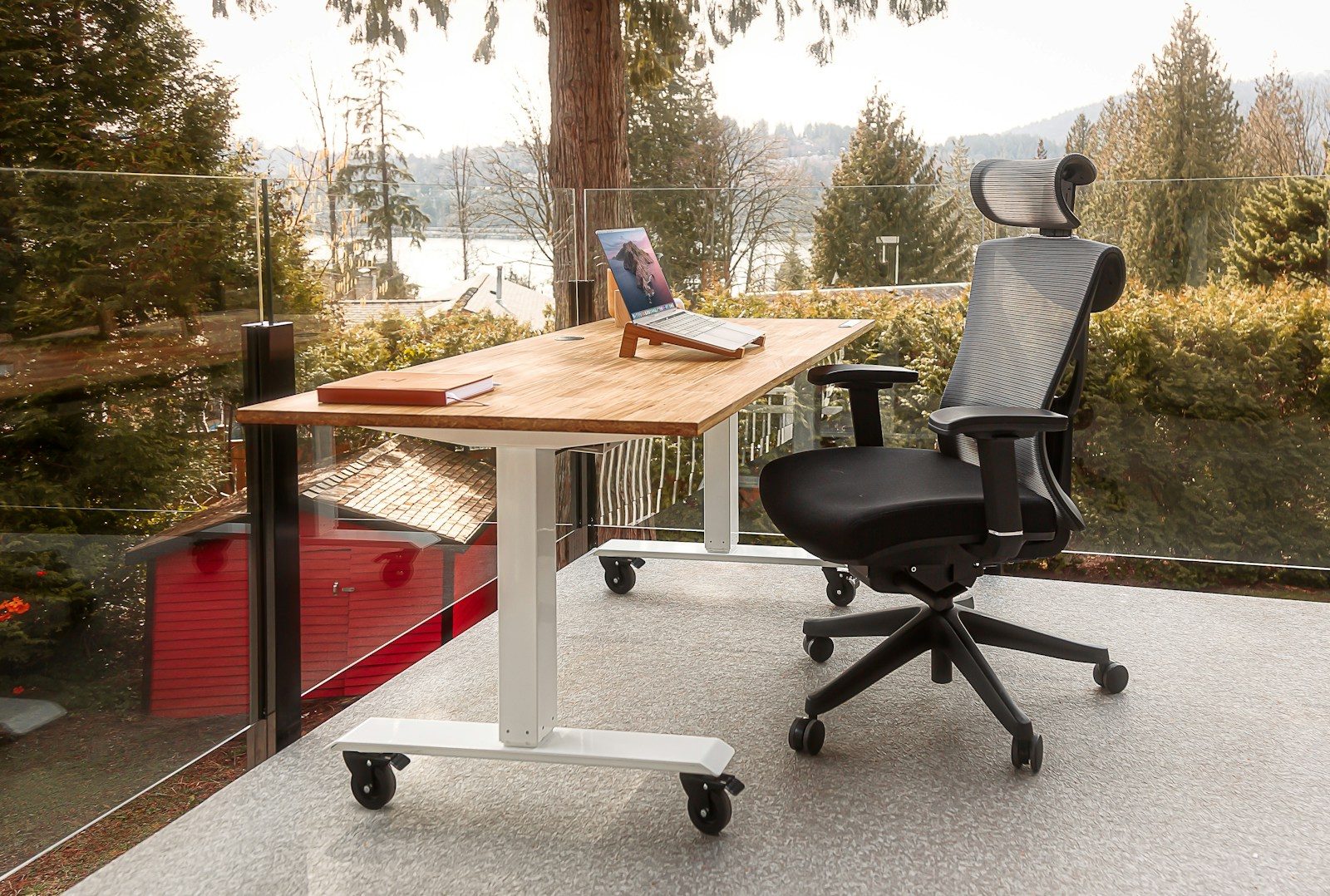
Sitting for eight to ten hours daily has well-documented consequences for energy levels, posture, and long-term health — consequences that accumulate quietly over years of remote work.
A standing desk does not solve this problem by making you stand all day. The research on prolonged standing is clear: standing for extended periods creates its own problems — fatigue, lower back strain, and reduced circulation. The benefit of a standing desk is the ability to alternate — to move between sitting and standing fluidly throughout the workday based on how you feel, what you are working on, and how your energy is holding.
This alternation — even modest amounts of standing during an eight-hour workday — is associated with meaningfully better afternoon energy levels, reduced back pain, and improved sustained concentration compared to exclusively seated work.
The challenge is that the standing desk market in 2026 is saturated with products ranging from genuinely excellent to structurally inadequate — and the differences between them are not always visible from product listings or marketing materials.
This guide identifies the best standing desks for remote professionals at each price point, with honest assessments of stability, motor quality, and long-term reliability that marketing materials consistently omit.
- What to Look for in a Standing Desk
- Quick Comparison Table
- 1. Flexispot E7 — Best Overall Standing Desk for Professionals
- 2. Uplift V2 — Best Premium Standing Desk
- 3. Flexispot E5 — Best Mid-Range Standing Desk
- 4. FEZIBO L-Shaped Electric Standing Desk — Best for Corner Setups
- 5. Flexispot E1 — Best Budget Electric Standing Desk
- 6. Vari Electric — Best for Professionals Who Prioritize Assembly Simplicity
- Anti-Fatigue Mats: The Essential Standing Desk Accessory
- Cable Management: Making Your Standing Desk Setup Clean
- Building the Complete Sit-Stand Workstation
- For Canadian Professionals
- Sit-Stand Usage: How to Actually Build the Habit
- FAQ
- Conclusion
What to Look for in a Standing Desk
Electric vs. manual: Manual crank standing desks are cheaper but are used far less frequently — the physical effort of cranking creates enough friction that most professionals stop adjusting entirely within weeks. Electric desks with memory presets change height with a button press in 15–20 seconds. For a standing desk to actually change your behavior, electric is the only practical choice for professional use.
Stability at standing height: This is the most important and least marketed specification. A desk that wobbles when you type at standing height is unusable for focused work. Stability is determined by the frame design, crossbar configuration, leg thickness, and motor quality — none of which are apparent from photos. The specifications to look for are leg thickness (50mm+ steel tubing indicates quality construction) and maximum load capacity (100kg+ suggests structural integrity).
Height range: The appropriate standing height for keyboard use is approximately elbow height when your arms are relaxed at your sides. For most adults, this falls between 95–115cm. Verify the desk’s maximum height reaches your standing elbow height before purchasing — shorter professionals need a lower minimum, taller professionals need a higher maximum.
Motor quality and noise: Dual-motor systems (one motor per leg) provide better stability and more even lifting than single-motor systems. Motor noise matters if you share your workspace — the best motors operate at under 45 decibels, quieter than normal conversation. Cheap single-motor desks are audibly loud and mechanically stressed under load.
Memory presets: The ability to save your preferred sitting and standing heights and return to them with a single button press is the feature that makes height adjustment effortless enough to actually use. Look for at least two presets (sitting and standing) — four presets is more flexible.
Desktop size and material: For professional use, 140cm × 70cm is the practical minimum for a monitor, laptop, and working materials. 160cm × 80cm is more comfortable. Desk surface material should be scratch-resistant — melamine-coated MDF is the standard at most price points, with solid wood and laminate options available at premium prices.
Weight capacity: 100kg minimum for a desk carrying a monitor, laptop, and accessories. Higher-end desks support 120–150kg — providing adequate margin for heavy dual-monitor setups.
Warranty: Frame warranty of 5 years minimum indicates manufacturer confidence in structural quality. Motor warranty of 3 years minimum. Shorter warranties on either component suggest lower confidence in long-term reliability.
Quick Comparison Table
| Desk | Size Options | Height Range | Motors | Memory Presets | Price (USD) |
|---|---|---|---|---|---|
| Flexispot E7 | Multiple | 58–123cm | Dual | 4 | $399–$499 |
| Uplift V2 | Multiple | 64–129cm | Dual | 4 | $549–$749 |
| Flexispot E5 | Multiple | 71–121cm | Dual | 3 | $299–$399 |
| FEZIBO L-Shaped | L-shape only | 71–121cm | Dual | 3 | $299–$399 |
| Flexispot E1 | Multiple | 71–114cm | Single | 2 | $219–$279 |
| Vari Electric | Multiple | 65–121cm | Dual | 4 | $495–$595 |
1. Flexispot E7 — Best Overall Standing Desk for Professionals
The Flexispot E7 is the strongest standing desk recommendation for most remote professionals — delivering the combination of stability, motor quality, height range, and build quality that defines a genuinely usable professional desk at a price point that undercuts competitors with comparable specifications.
Why it leads:
Flexispot’s E7 uses a three-stage telescoping leg design — each leg has three sections rather than the two sections found on cheaper desks. Three-stage legs provide a wider height range and significantly better stability at maximum height, where the wobble problem is most acute on lower-quality desks.
The dual brushless motors operate at under 45 decibels and lift loads up to 125kg smoothly and quietly. The E7’s anti-collision detection automatically stops and reverses the desk if it encounters resistance during adjustment — preventing damage to monitors, cables, or anything beneath the desk.
Specifications:
- Height range: 58–123cm (accommodates users from 4’10” to 6’9″)
- Dual brushless motors
- Maximum load: 125kg
- 4 memory presets
- Anti-collision detection
- Child lock function
- Available in multiple frame colors and desktop sizes
Stability testing: Independent stability testing of the E7 consistently shows minimal wobble at standing height — typically less than 2mm of sway under typing simulation. This is the critical real-world test that distinguishes genuinely stable desks from those that feel solid in product videos but wobble in use.
Desktop options: Flexispot sells the E7 frame separately or bundled with desktop options — melamine MDF in multiple sizes and colors, bamboo, and solid wood. Purchasing the frame and sourcing your own desktop (from IKEA, Home Depot, or a local lumber supplier) is a popular cost optimization that allows a larger or higher-quality surface than bundled options.
Warranty: 15-year frame warranty. 5-year motor and electronics warranty. Among the strongest warranty terms in the standing desk market, and a meaningful indicator of build quality confidence.
Canadian availability: Flexispot ships directly to Canada from flexispot.ca with Canadian pricing — avoiding the currency conversion and import complexity of US purchases. Canadian pricing is typically $499–$649 CAD for the E7 with desktop.
Pricing: Frame only from $399 USD. Bundle with desktop from $499 USD. Flexispot runs frequent promotions — prices drop meaningfully during Black Friday, holiday sales, and site-wide promotional events.
Verdict: The strongest overall recommendation for professionals who want a genuinely stable, quiet, and durable standing desk at the most accessible price point for this quality tier.
2. Uplift V2 — Best Premium Standing Desk
The Uplift V2 is the most frequently recommended premium standing desk among professionals who prioritize maximum stability, customization options, and comprehensive warranty coverage.
Why it stands out:
Uplift’s V2 frame delivers the best stability numbers in independent testing among widely available standing desks — a result of its reinforced crossbar design and high-quality dual motors. For professionals using heavy dual-monitor setups or who are particularly sensitive to desk wobble during typing, the Uplift V2 is the most reliable choice.
The V2’s customization options are unmatched in the market. Frame color, crossbar style, desktop material (including solid wood and specialty surfaces), cable management accessories, monitor arms, and drawer options are all configurable at purchase — producing a desk setup that is purpose-built for your specific workspace rather than a generic product adapted to it.
Specifications:
- Height range: 64–129cm
- Dual motors
- Maximum load: 159kg
- 4 memory presets
- Advanced keypad options including sit-stand reminder
- Anti-collision detection
- Available in commercial (C-frame) and standard configurations
Warranty: Uplift offers a lifetime frame warranty — the strongest warranty commitment in the standing desk market. Motor and parts warranty of 5 years. For professionals purchasing a desk intended to last a decade or more, this warranty coverage is a meaningful practical advantage.
Where it falls short: Uplift’s pricing is substantially higher than Flexispot — the V2 starts at $549 USD for the frame and reaches $749+ with desktop and accessories. For most professionals, the Flexispot E7 delivers 90% of the Uplift’s performance at 70% of the cost. The Uplift premium is justified specifically for professionals who want maximum stability under heavy loads, extensive customization, or the reassurance of lifetime warranty coverage.
Canadian note: Uplift ships to Canada but pricing and shipping costs make the value proposition less compelling compared to purchasing from Flexispot Canada directly.
Pricing: Frame from $549 USD. Configured with desktop and standard accessories from $749–$900 USD.
Verdict: The right choice for professionals who want the best available stability, maximum customization options, and lifetime warranty coverage — and for whom the premium over Flexispot is acceptable.
3. Flexispot E5 — Best Mid-Range Standing Desk
The Flexispot E5 delivers dual-motor stability and professional-grade build quality at a price point that represents the most accessible entry into quality standing desk territory.
For professionals whose budget does not extend to the E7 but who are unwilling to compromise on the dual-motor stability that makes a standing desk genuinely usable, the E5 is the appropriate recommendation.
Key differences from the E7:
- Two-stage rather than three-stage legs — adequate stability for most professionals, marginally less stable than the E7 at maximum height
- Slightly narrower height range (71–121cm vs. 58–123cm) — adequate for most adult height ranges
- 3 rather than 4 memory presets
- Maximum load 100kg vs. 125kg — sufficient for standard monitor and laptop setups
- 5-year frame warranty vs. 15-year on E7
Where it is appropriate: For professionals of average height (165–185cm) with standard single or dual monitor setups who will use the desk at moderate standing heights, the E5’s stability is fully adequate. The stability limitations become more apparent at maximum height under heavy loads — a configuration most professionals do not use.
Pricing: Frame from $299 USD. Bundle with desktop from $349–$399 USD.
Verdict: The right choice for professionals who want dual-motor stability at the lowest price that delivers it — and whose height and load requirements fall within the E5’s specifications.
4. FEZIBO L-Shaped Electric Standing Desk — Best for Corner Setups
For professionals with corner desk configurations, the FEZIBO L-shaped electric standing desk addresses a specific need that standard rectangular desks cannot: a large, adjustable work surface that fits efficiently in a corner.
Why L-shaped standing desks matter:
Corner desk setups provide the most usable work surface in a given room footprint — wrapping the workspace around the user rather than presenting a flat surface from one direction. For professionals who need space for a dual monitor setup, reference materials, and active work simultaneously, L-shaped configurations provide this without requiring a very wide room.
The FEZIBO L-shaped desk uses dual motors — one per leg section — providing stable, synchronized height adjustment across the full L-shaped surface. The corner section connects both sides rigidly, maintaining level alignment during adjustment.
Specifications:
- L-shaped configuration (multiple size options)
- Height range: 71–121cm
- Dual motors
- Maximum load: 110kg
- 3 memory presets
- Anti-collision detection
- Available in black, white, and wood-grain finishes
Where it falls short: L-shaped standing desks are more complex to assemble than rectangular models — plan for 60–90 minutes of assembly time. The FEZIBO’s stability is adequate for standard professional use but does not match the Flexispot E7 at maximum height under heavy loads.
Pricing: $299–$399 USD depending on size configuration. Amazon US and Amazon Canada both carry FEZIBO products.
Verdict: The appropriate choice for professionals with corner office configurations who want the space efficiency of an L-shaped desk with electric height adjustment.
5. Flexispot E1 — Best Budget Electric Standing Desk
The Flexispot E1 is the entry-level electric standing desk recommendation — appropriate for professionals whose budget does not extend to the E5 but who are unwilling to purchase a manual crank desk.
Honest assessment:
The E1 uses a single motor rather than the dual-motor system found on the E5 and E7. Single-motor desks are inherently less stable — the motor drives one leg, which drives the other via the crossbar, creating torque stress that results in slightly uneven lifting and marginally more wobble at standing height.
For professionals of average height who will primarily use the desk at moderate standing heights with light loads (laptop and single monitor), the E1’s stability is acceptable. For taller professionals, heavy dual-monitor setups, or those working at maximum height, the dual-motor options are meaningfully better.
Specifications:
- Height range: 71–114cm
- Single motor
- Maximum load: 70kg
- 2 memory presets
- 3-year frame warranty
Pricing: Frame from $219 USD. Bundle with desktop from $249–$279 USD.
Verdict: The minimum viable electric standing desk for professional use. Appropriate for professionals with strict budget constraints who primarily work at moderate heights with light setups. Upgrade to the E5 if budget allows.
6. Vari Electric — Best for Professionals Who Prioritize Assembly Simplicity
The Vari Electric standing desk’s primary advantage is its assembly experience — it ships partially assembled and can be set up in under 10 minutes, compared to 30–60 minutes for most competing desks.
For professionals who have had frustrating experiences with furniture assembly or who are setting up a home office quickly, Vari’s assembly simplicity is a genuine practical advantage.
Why it stands out for quick setup:
Vari’s frame arrives pre-welded and pre-assembled. Assembly involves attaching the legs, flipping the desk upright, and connecting the power cable — no hardware, no tools required. The desktop surface is pre-attached and finished.
Specifications:
- Height range: 65–121cm
- Dual motors
- Maximum load: 113kg
- 4 memory presets
- Available in multiple desktop sizes and finishes
Where it falls short: Vari’s pricing is higher than Flexispot for comparable stability and features — the assembly convenience premium is real. Desktop finish options are more limited than Flexispot or Uplift. The warranty (5 years on frame, 3 years on motor) is adequate but shorter than Flexispot E7 or Uplift V2.
Pricing: $495–$595 USD. This represents a meaningful premium over the Flexispot E7 for comparable performance.
Verdict: Appropriate for professionals who place high value on assembly simplicity and are willing to pay a premium for it. For most professionals, the Flexispot E7 at lower cost is the better value.
Anti-Fatigue Mats: The Essential Standing Desk Accessory
A standing desk without an anti-fatigue mat is a standing desk you will stop using.
Standing on hard floors for extended periods — even 30–60 minutes — creates joint discomfort in feet, knees, and lower back that makes standing feel worse than sitting. An anti-fatigue mat — a cushioned, contoured surface designed for standing use — eliminates this discomfort and makes extended standing periods genuinely comfortable.
Recommended options:
Topo by Ergodriven ($79–$99 USD on Amazon): The most recommended anti-fatigue mat among standing desk users. The Topo’s contoured surface — with a raised center island and surrounding terrain — encourages subtle weight shifting and foot movement during standing, which improves circulation compared to flat mat designs. The rocker feature at the back edge accommodates calf stretching during standing sessions.
Flexispot Anti-Fatigue Mat ($45–$65 USD): Flexispot’s own mat is a reliable flat-profile option at a lower price point than the Topo. Less feature-rich but effective for professionals who prefer a flat standing surface.
What to avoid: Thin foam mats marketed as anti-fatigue solutions at very low price points ($15–$25). These compress within weeks and lose their cushioning properties — defeating the purpose. Invest in a quality mat that will last years.
Cable Management: Making Your Standing Desk Setup Clean
A standing desk that moves up and down creates cable management challenges that static desks do not have. Cables must accommodate the full height range of the desk without pulling tight at maximum height or creating floor-level hazards at minimum height.
Practical cable management solutions:
Cable management tray ($25–$45 on Amazon): Mounts under the desk surface and holds power strips, surge protectors, and excess cable length. Keeps cables off the floor and out of sight. Essential for any standing desk setup with multiple monitors and peripherals.
Cable sleeve or spiral wrap ($10–$20 on Amazon): Groups multiple cables into a single managed bundle that moves cleanly with the desk. Particularly useful for the cable run from desk to floor or wall.
Velcro cable ties ($8–$15 on Amazon): Reusable ties for bundling cables along the desk frame. More flexible than zip ties — cables can be added or removed without cutting.
A clean cable setup takes 30–60 minutes to implement properly and makes the difference between a professional-looking workspace and a frustrating tangle of cables that catches on desk legs during height adjustment.
Building the Complete Sit-Stand Workstation
For professionals building a complete sit-stand workstation, the following combination represents the optimal balance of performance and value:
Budget setup (under $600 USD):
- Flexispot E1 with desktop: $249–$279
- LG 27GL83A monitor: $279–$329
- Topo anti-fatigue mat: $79
- Cable management tray: $30
- Total: approximately $637–$717 USD
Professional setup (under $1,000 USD):
- Flexispot E5 with desktop: $349–$399
- Dell S2722DC monitor: $299–$349
- Monitor arm: $45
- Topo anti-fatigue mat: $79
- Cable management bundle: $45
- Total: approximately $817–$917 USD
Premium setup (under $1,500 USD):
- Flexispot E7 with desktop: $499–$549
- LG 27UN880-B Ergo (includes arm): $449–$499
- Topo anti-fatigue mat: $79
- Cable management bundle: $45
- Total: approximately $1,072–$1,172 USD
For Canadian Professionals
Flexispot Canada (flexispot.ca): Flexispot operates a dedicated Canadian storefront with CAD pricing, Canadian warehouse shipping, and no import complications. This makes Flexispot the most practically accessible standing desk brand for Canadian buyers.
Approximate CAD pricing:
| Desk | Approx. CAD (with desktop) |
|---|---|
| Flexispot E1 | $340–$380 |
| Flexispot E5 | $470–$540 |
| Flexispot E7 | $640–$840 |
| FEZIBO L-Shaped | $410–$540 |
Canadian shipping note: Uplift Desk ships to Canada but shipping costs and currency conversion typically make Flexispot the better value for Canadian buyers at comparable quality tiers.
Sit-Stand Usage: How to Actually Build the Habit
The most common standing desk failure mode is purchasing a desk, standing for the first few days, then defaulting to exclusively seated work within two weeks because no habit structure supports the behavior change.
Building a sustainable sit-stand habit:
Start with short standing intervals: Begin with 20–30 minutes of standing per hour rather than extended standing sessions. Your feet and legs need time to adapt to the new demands. Attempting to stand for two or three hours continuously in the first week is the fastest route to abandoning the habit.
Use a timer or reminder: Set a recurring 45-minute timer that prompts you to transition between sitting and standing. The transition takes 20 seconds with memory presets — low enough friction that a prompt is sufficient to trigger the behavior.
Pair standing with specific tasks: Certain work types pair naturally with standing: phone calls, casual email processing, reading documents, video calls. Other tasks — deep writing, complex analysis — may feel more comfortable seated. Pairing standing with specific task types builds the habit around existing workflow triggers.
Use the desk’s memory presets: Set your sitting height and standing height as presets before your first workday. The desk should return to your preferred height with a single button press. Any additional friction significantly reduces how often you will adjust.
Most professionals who use standing desks regularly report that the habit becomes self-reinforcing after 3–4 weeks — they feel the difference in afternoon energy levels and back comfort clearly enough that standing becomes the default rather than the exception.
FAQ
How much of the workday should I spend standing? Current ergonomic guidance suggests alternating between sitting and standing, with a target of 2–4 hours of standing across an 8-hour workday, distributed across multiple intervals rather than concentrated in one block. This is a target range, not a prescription — comfort and individual variation should guide actual practice.
Will a standing desk help with back pain? For many professionals, alternating between sitting and standing reduces lower back pain associated with prolonged static seated posture. However, standing desks are not a treatment for pre-existing back conditions. If you have chronic back pain, consult a physiotherapist or medical professional before relying on a standing desk as a primary intervention.
Can I use a standing desk with a treadmill? Yes — under-desk treadmills are designed for use with standing desks. Walking pace for treadmill desk use is typically 1–2.5 km/h — slow enough for computer work but sufficient to meaningfully increase daily movement. The desk must be at the appropriate height for typing while walking, which differs from standard standing height.
How long does a quality standing desk last? A quality electric standing desk — Flexispot E7 or Uplift V2 — should last 10–15 years or more with normal professional use. Motor mechanisms are typically the component most likely to require service, which is why motor warranty length is a meaningful quality indicator.
Is a standing desk worth the investment for home office use? For professionals who work from home full-time and experience afternoon energy dips, back discomfort, or reduced concentration in the second half of the workday, yes. The investment pays back in reduced physical discomfort and sustained afternoon energy within the first month of regular use. For professionals who work from home occasionally or for short sessions, the investment case is weaker.
Conclusion
A standing desk is not a health device that works by existing in your workspace. It is a behavior-change tool that works when you actually use it — when the friction of adjusting height is low enough that you transition regularly throughout the day.
This is why electric desks with memory presets are the only practical recommendation for professional use. The manual alternative creates enough friction that most professionals stop using it within weeks.
For most remote professionals, the Flexispot E7 is the right choice — delivering the stability, height range, motor quality, and warranty coverage of premium desks at a price point that represents strong value. Canadian professionals benefit from Flexispot’s direct Canadian storefront, making it the most accessible quality option available.
Pair it with an anti-fatigue mat. Set your memory presets before your first workday. Build the habit with a timer for the first month.
The return on this investment compounds daily in better energy, less physical discomfort, and more sustained afternoon concentration.


Comments