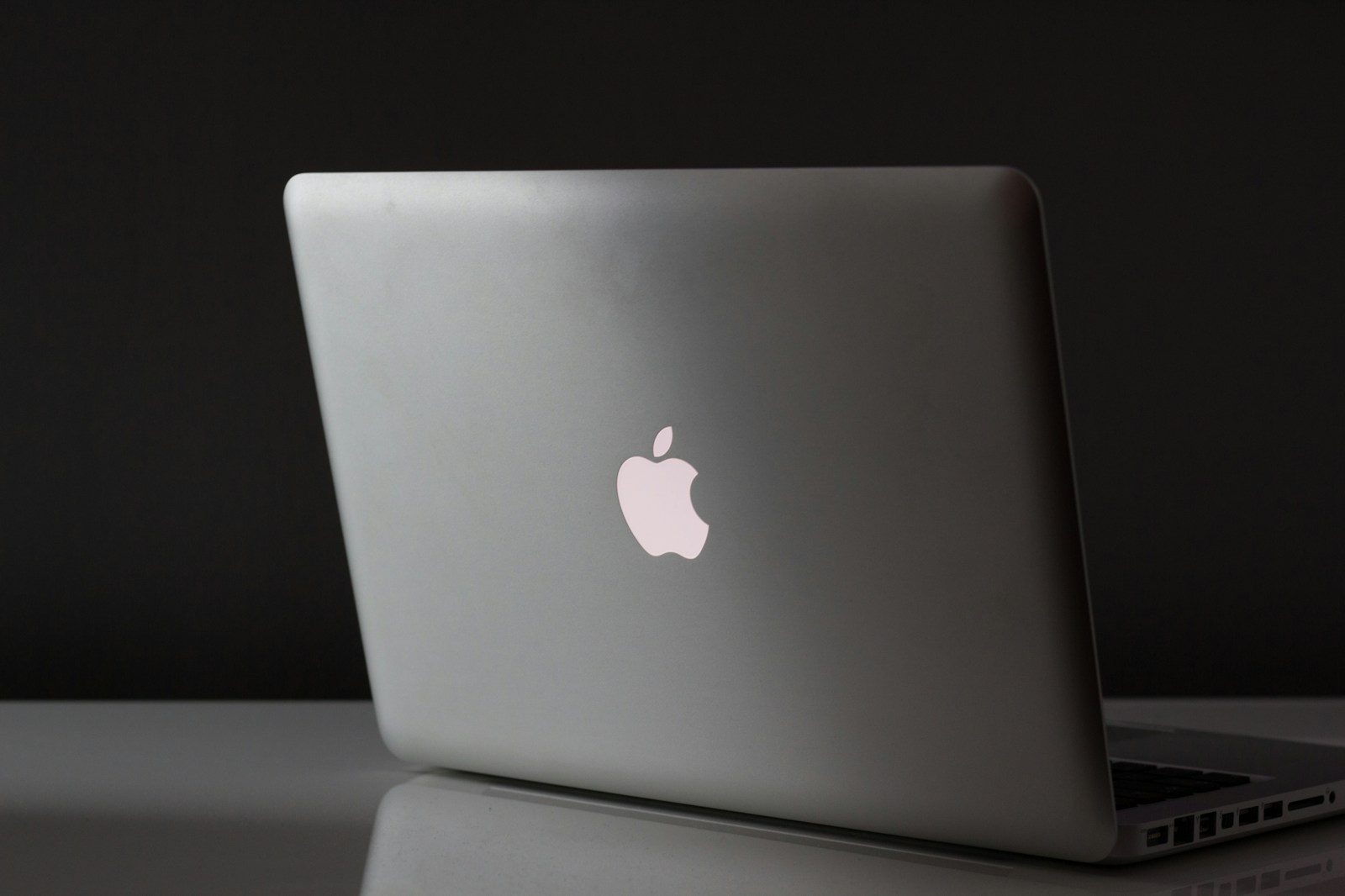
Every MacBook Apple sells in 2026 is good. The question is which one is right for your specific professional situation — and whether the differences between models justify their price gaps.
Apple’s MacBook lineup has never been more clearly differentiated. The MacBook Air handles the full range of knowledge work with exceptional efficiency and battery life. The MacBook Pro 14″ adds sustained performance capability and a significantly better display for professionals who push their hardware harder. The MacBook Pro 16″ delivers workstation-class performance in a laptop form factor for the most demanding professional workloads.
The mistake most professionals make is either underbuying — choosing the Air when their work genuinely demands the Pro — or overbuying — paying $2,000+ for a MacBook Pro when an $1,100 Air would handle everything they do with performance to spare.
This guide helps you identify which MacBook is genuinely right for your professional workflow — with specific recommendations based on what you actually do, not what sounds impressive.
- The 2026 MacBook Lineup at a Glance
- Understanding Apple Silicon: M4 vs M4 Pro vs M4 Max
- MacBook Air 13″ M3 — The Right MacBook for Most Professionals
- MacBook Air 15″ M3 — Best for Screen Real Estate Without Portability Compromise
- MacBook Pro 14″ M4 — The Overlooked Middle Option
- MacBook Pro 14″ M4 Pro — Best Performance MacBook for Most Demanding Professionals
- MacBook Pro 16″ M4 Pro — Best for Professionals Who Want Maximum Screen and Performance
- MacBook Pro 16″ M4 Max — For the Most Demanding Professional Workloads
- Which MacBook Should You Buy? A Decision Framework
- MacBook Buying Tips
- For Canadian Professionals
- FAQ
- Conclusion
The 2026 MacBook Lineup at a Glance
| Model | Chip | Starting RAM | Battery (Real) | Weight | Price (USD) |
|---|---|---|---|---|---|
| MacBook Air 13″ M3 | Apple M3 | 16GB | 13–15 hrs | 1.24kg | $1,099 |
| MacBook Air 15″ M3 | Apple M3 | 16GB | 13–18 hrs | 1.51kg | $1,299 |
| MacBook Pro 14″ M4 | Apple M4 | 16GB | 12–15 hrs | 1.55kg | $1,599 |
| MacBook Pro 14″ M4 Pro | Apple M4 Pro | 24GB | 11–14 hrs | 1.55kg | $1,999 |
| MacBook Pro 16″ M4 Pro | Apple M4 Pro | 24GB | 12–16 hrs | 2.14kg | $2,499 |
| MacBook Pro 16″ M4 Max | Apple M4 Max | 48GB | 12–16 hrs | 2.14kg | $3,499 |
Understanding Apple Silicon: M4 vs M4 Pro vs M4 Max
Before comparing models, understanding what the chip differences actually mean in practice is essential — because marketing language around Apple Silicon frequently overstates differences that are invisible in typical professional use.
Apple M4 — The Base Chip
The M4 is an extraordinarily capable processor for professional knowledge work. Document editing, video calls, spreadsheet analysis, web browsing, email, presentation creation, light photo editing, and most coding tasks run on the M4 without any performance constraint whatsoever.
The M4 is a fanless chip in the MacBook Air — meaning it operates entirely silently. Under sustained maximum load, it will throttle performance to manage heat — but this throttling only occurs during workloads that push the CPU continuously for extended periods, which the vast majority of professional knowledge work does not.
Apple M4 Pro — For Sustained Performance Workloads
The M4 Pro adds active cooling — a fan — which allows it to sustain maximum performance indefinitely without thermal throttling. It also adds more CPU and GPU cores, and significantly more memory bandwidth.
The practical difference from the M4 is visible only in workloads that genuinely sustain high CPU or GPU load — video encoding, large code compilation, 3D rendering, large dataset processing, and similar tasks. For these workloads, the M4 Pro is meaningfully faster than the M4.
For everything else — the full range of knowledge work tasks — the M4 and M4 Pro deliver nearly identical performance. You will not notice the difference writing a proposal, building a spreadsheet, or attending a video call.
Apple M4 Max — For the Most Demanding Professional Workloads
The M4 Max doubles the M4 Pro’s GPU cores and memory bandwidth — delivering performance relevant to professionals working with the largest datasets, most complex 3D scenes, and most demanding video production workloads.
For the vast majority of professionals, the M4 Max is performance they will never approach. It is the right chip for machine learning engineers training models locally, film editors working with 8K RAW footage, and 3D artists rendering complex scenes — not for anyone whose most demanding task is a large Excel model or a complex Keynote presentation.
MacBook Air 13″ M3 — The Right MacBook for Most Professionals
Who it is for: Consultants, analysts, marketers, writers, HR professionals, finance professionals, project managers, salespeople, and any knowledge worker whose primary tools are documents, spreadsheets, communication, and video calls.
Why it is the right choice:
The MacBook Air 13″ M3 represents the point in the MacBook lineup where the value proposition is clearest. You get Apple Silicon performance — faster than any Intel MacBook ever made for typical professional tasks — in the lightest, most portable MacBook chassis available, with 13–15 hours of real-world battery life and complete silence in operation.
For professionals whose most demanding task does not involve sustained maximum CPU load, the Air’s performance is indistinguishable from the Pro in daily use. The fan in the Pro exists to handle workloads the Air is not optimized for — workloads that most professionals never create.
The display: The 13.6-inch Liquid Retina display at 2560×1664 resolution is genuinely excellent for a laptop at this price. Text is sharp and clear. Colors are accurate and consistent. True Tone adjusts white balance to match ambient lighting — reducing eye strain during long sessions.
It is not the ProMotion XDR display of the MacBook Pro. If you have not used a MacBook Pro display, you will not miss what you have not experienced. If you have, the difference is visible.
Battery life: 13–15 hours of real-world professional use. In practical terms: charge it in the morning, use it all day, charge it again at night. No battery anxiety. No hunting for outlets. This is the specification that changes daily professional life more than any other.
The fanless design: The MacBook Air has no fan. This is not a compromise — it is a deliberate design choice that makes the Air completely silent in all conditions. For professionals who work in quiet environments or who find fan noise distracting, the silence is a genuine quality-of-life advantage.
Connectivity: Two Thunderbolt 3 ports and MagSafe charging. The two-port limitation requires an adapter or hub for professionals who need simultaneous monitor connection, external storage, and peripherals. A quality USB-C hub ($40–$80) resolves this completely.
The 16GB RAM configuration: Apple sells the MacBook Air starting at 16GB RAM — the minimum recommended for professional use in 2026. The 8GB configuration that existed in previous generations has been discontinued, which is the right decision. Do not purchase the 8GB option if you encounter refurbished stock — it is constraining for professional multitasking in 2026.
Storage: 256GB is tight for professionals who store significant files locally. 512GB is more comfortable. 1TB is appropriate for professionals who work with larger files or prefer local storage over cloud dependency. Storage cannot be upgraded after purchase — choose what you need at the time of buying.
Pricing: 16GB / 256GB: $1,099 USD 16GB / 512GB: $1,299 USD 16GB / 1TB: $1,499 USD
Verdict: The right MacBook for most professionals. If your work does not involve sustained high-performance computation, the MacBook Air 13″ M3 is the most rational professional laptop purchase available in 2026.
MacBook Air 15″ M3 — Best for Screen Real Estate Without Portability Compromise
Who it is for: Professionals who want the Air’s efficiency and silence but work primarily from a desk and would benefit from more screen real estate without carrying an external monitor.
The difference from the 13″:
The 15″ Air uses the same M3 chip, same RAM and storage options, and same battery capacity as the 13″. The meaningful differences are:
- 15.3-inch display (vs 13.6-inch) — meaningfully more screen real estate for side-by-side window management
- Slightly longer battery life in some use cases due to larger battery capacity
- 180 grams heavier (1.51kg vs 1.24kg)
For professionals who travel frequently and value maximum portability, the 13″ is clearly better. For professionals who primarily work from a desk and would benefit from a larger display without a separate external monitor — or who dislike the need for adapters and external setups — the 15″ makes more sense.
Pricing: 16GB / 256GB: $1,299 USD 16GB / 512GB: $1,499 USD
Verdict: Worth the $200 premium over the 13″ for professionals who sit at a desk most of the day and would use the extra screen space. Not worth it for professionals who prioritize portability.
MacBook Pro 14″ M4 — The Overlooked Middle Option
Who it is for: Professionals who want the MacBook Pro display and build quality but whose work does not require the M4 Pro’s sustained performance capabilities.
Why it exists:
The MacBook Pro 14″ is available with the base M4 chip — the same chip as the MacBook Air — at $1,599 USD. This positions it $500 above the Air 13″ for the same processing capability.
What you get for that $500:
The Liquid Retina XDR display: This is the primary reason to choose the base MacBook Pro 14″ over the MacBook Air. The ProMotion XDR display — 3024×1964 resolution, 1000 nits sustained brightness, 1600 nits peak HDR, 120Hz adaptive refresh rate — is genuinely significantly better than the Air’s display. For professionals who spend 8+ hours daily looking at their screen, the display quality difference is visible and meaningful.
Active cooling: The Pro has a fan. Under the M4 chip, this fan rarely activates for typical professional tasks — but when sustained loads do occur, performance does not throttle.
Additional ports: HDMI 2.1, SD card reader, and three Thunderbolt 4 ports versus the Air’s two Thunderbolt 3 ports. For professionals who connect multiple external devices, the Pro eliminates adapter dependency.
MagSafe + USB-C charging: Can charge via MagSafe or any USB-C port — more charging flexibility than the Air.
Is the $500 premium justified? Only if you genuinely value the display quality improvement or require the additional connectivity. For professionals who work primarily with an external monitor connected, the display upgrade is less visible. For professionals who work primarily on the laptop screen — in meetings, while traveling, or in varied locations — the display difference is worth serious consideration.
Pricing: M4 / 16GB / 512GB: $1,599 USD M4 / 24GB / 512GB: $1,799 USD
Verdict: The right choice for professionals who want the MacBook Pro display and build quality without needing the M4 Pro’s sustained performance — and for whom the $500 premium over the Air is justifiable based on how they work.
MacBook Pro 14″ M4 Pro — Best Performance MacBook for Most Demanding Professionals
Who it is for: Software developers, data scientists, machine learning engineers, video editors, architects, engineers, and any professional whose work regularly involves sustained computational load.
Why it is the right Pro:
The M4 Pro chip delivers the sustained performance that distinguishes professional use from knowledge worker use. Its fan runs when needed — which for demanding professional workloads is often — and enables performance that the M4 cannot maintain over extended periods.
Real-world performance differences that matter:
For software developers: Large codebase compilation that takes 4 minutes on an M4 Air takes 2.5 minutes on the M4 Pro. Over a day of development work involving multiple compilation cycles, this adds up to meaningful recovered time.
For data scientists: Processing large datasets in Python or R — operations that run for minutes on the M4 — complete noticeably faster on the M4 Pro’s additional cores and memory bandwidth.
For video editors: Exporting a 10-minute 4K video that takes 6 minutes on the M4 takes 3.5 minutes on the M4 Pro. For editors who export frequently, this difference accumulates significantly.
24GB unified memory: The M4 Pro starts at 24GB unified memory — the right amount for professionals running memory-intensive workloads: multiple virtual machines, large datasets in memory, complex development environments with many services running simultaneously.
Dual external display support: Unlike the MacBook Air, the MacBook Pro 14″ M4 Pro natively supports two external displays simultaneously — essential for professionals who use a dual-monitor desk setup.
The display and connectivity: Everything noted about the base M4 Pro display and connectivity applies equally — the XDR display, three Thunderbolt 4 ports, HDMI, SD card reader, and MagSafe charging are standard across all MacBook Pro 14″ configurations.
Pricing: M4 Pro / 24GB / 512GB: $1,999 USD M4 Pro / 24GB / 1TB: $2,199 USD M4 Pro / 24GB / 2TB: $2,599 USD
Verdict: The strongest overall MacBook recommendation for professionals whose work regularly creates sustained computational load. If you are a developer, data scientist, or creative professional and you feel constrained by your current hardware, the MacBook Pro 14″ M4 Pro is the right upgrade.
MacBook Pro 16″ M4 Pro — Best for Professionals Who Want Maximum Screen and Performance
Who it is for: Professionals who want the largest MacBook display for productivity or content work, and whose work genuinely demands sustained high performance.
The 16″ difference:
The MacBook Pro 16″ M4 Pro delivers the same M4 Pro chip performance as the 14″ in a larger chassis with a 16.2-inch display — more screen real estate for professionals who work primarily on their laptop screen without an external monitor.
The 16″ also benefits from more aggressive thermal management — the larger chassis accommodates more cooling capacity, allowing the M4 Pro to sustain peak performance for longer under continuous maximum load compared to the 14″.
Who should choose 16″ over 14″:
Professionals who work extensively on their laptop screen — video editors reviewing footage, developers working with multiple terminal windows and code editors, architects reviewing large drawings — benefit most from the additional screen real estate.
Professionals who primarily work docked to external monitors gain less from the 16″ — they are looking at the external display most of the time, and the laptop screen size is less relevant.
The weight trade-off: At 2.14kg versus 1.55kg for the 14″, the 16″ is meaningfully heavier for professionals who carry their laptop daily. This is a real consideration for professionals who commute or travel frequently.
Pricing: M4 Pro / 24GB / 512GB: $2,499 USD M4 Pro / 24GB / 1TB: $2,699 USD
Verdict: The right choice for professionals who need sustained performance and prefer working on a large laptop screen. If portability matters and you plan to use an external monitor at your desk, the 14″ delivers equivalent performance at lower weight and cost.
MacBook Pro 16″ M4 Max — For the Most Demanding Professional Workloads
Who it is for: Machine learning engineers training models locally, film editors working with high-resolution RAW footage, 3D artists rendering complex scenes, and professionals whose work is genuinely bottlenecked by compute performance.
The honest assessment:
The M4 Max delivers performance that exceeds workstation-class desktop hardware from two generations ago — in a laptop. For the right professional, this is transformational: workloads that previously required a dedicated workstation or cloud compute now complete locally, on a device you carry with you.
For everyone else — including most software developers, data scientists, and video editors doing standard professional work — the M4 Max is performance they will never fully utilize. The M4 Pro handles the overwhelming majority of professional computational demands with significant headroom.
When the M4 Max makes sense: You are currently waiting for your computer to finish something — compilation, rendering, export, training — frequently enough that the wait is a meaningful constraint on your professional output. If this describes your situation, the M4 Max is a legitimate productivity investment.
If your current hardware feels fast for your work, the M4 Max provides no benefit you will experience.
Pricing: M4 Max / 48GB / 1TB: $3,499 USD M4 Max / 128GB / 1TB: $4,499 USD
Verdict: Justified only for professionals whose current hardware is a genuine bottleneck. For everyone else, the M4 Pro delivers all the performance you will use.
Which MacBook Should You Buy? A Decision Framework
Step 1: Identify Your Highest-Demand Task
Think about the single most computationally demanding thing you do professionally. This task determines whether you need the Air or the Pro.
Air-appropriate tasks: Document editing, spreadsheet work, email and communication, video calls, web browsing, presentations, light photo editing, writing and research, most business software
Pro-appropriate tasks: Large codebase compilation, video export and encoding, large dataset processing, 3D rendering, machine learning model training, running multiple virtual machines simultaneously
If your most demanding task is in the first list, the MacBook Air M3 is sufficient. If it is in the second list, the MacBook Pro 14″ M4 Pro is the right choice.
Step 2: Consider How You Work
Primarily mobile, frequently traveling: MacBook Air 13″ — lightest, longest battery, most portable Primarily docked, occasional travel: MacBook Pro 14″ — better display and ports justify the weight Large screen important, performance demanding: MacBook Pro 16″ Performance is the only criterion: MacBook Pro 16″ M4 Max
Step 3: Set Your Budget
| Budget | Best Option |
|---|---|
| Under $1,300 | MacBook Air 13″ M3 (16GB / 256GB or 512GB) |
| $1,300–$1,700 | MacBook Air 15″ M3 or MacBook Pro 14″ M4 |
| $1,700–$2,200 | MacBook Pro 14″ M4 Pro |
| $2,200–$2,800 | MacBook Pro 16″ M4 Pro |
| $2,800+ | MacBook Pro 16″ M4 Max |
MacBook Buying Tips
Buy from Apple Directly or Amazon
Apple’s website and Amazon both offer the full MacBook lineup with equivalent pricing. Amazon frequently offers modest discounts — $50–$150 — on standard configurations and provides faster delivery in many locations.
For the most recent configurations and full customization options — non-standard RAM and storage combinations — Apple’s website is the only option.
Education Pricing
Apple offers education pricing to students, teachers, and staff at educational institutions — typically $100–$200 USD below standard retail pricing on MacBook models. Education pricing is available through Apple’s education store with basic eligibility verification.
Refurbished Options
Apple’s certified refurbished store offers previous-generation and current-generation MacBooks at 10–20% below new pricing with full Apple warranty and return policy. Certified refurbished products have been inspected and tested to meet Apple’s standards — a legitimate option for professionals who want Apple quality at reduced cost.
AppleCare+ for Professionals
For a MacBook that travels with you daily, AppleCare+ extends coverage to three years and adds accidental damage protection — two incidents per year with a service fee ($99 for screen damage, $299 for other accidental damage). At $179–$249 USD depending on model, AppleCare+ is worth considering for any professional whose laptop is frequently mobile.
RAM and Storage: Buy Right the First Time
MacBook RAM and storage are not upgradeable after purchase. The configuration you buy is the configuration you keep for the life of the machine.
RAM guidance:
- 16GB: Minimum for professional use in 2026. Adequate for knowledge workers running standard professional applications.
- 24GB: Recommended for developers, data workers, and anyone running memory-intensive workflows.
- 36GB+: For M4 Pro and Max configurations serving the most demanding professional workloads.
Storage guidance:
- 256GB: Tight for most professionals. Viable only if you store primarily in cloud services and have minimal local file requirements.
- 512GB: Comfortable for most professionals. Recommended as the standard configuration.
- 1TB: Right for developers, photographers, video editors, and anyone who stores significant files locally.
For Canadian Professionals
Where to buy: Apple Canada (apple.com/ca) offers the full MacBook lineup with CAD pricing and Canadian keyboard layouts. Amazon Canada carries standard configurations with competitive pricing. Best Buy Canada carries standard configurations with price-match policies.
Approximate CAD pricing:
| Model | Approx. CAD |
|---|---|
| MacBook Air 13″ M3 (16GB/256GB) | $1,499 |
| MacBook Air 13″ M3 (16GB/512GB) | $1,749 |
| MacBook Air 15″ M3 (16GB/256GB) | $1,749 |
| MacBook Pro 14″ M4 (16GB/512GB) | $2,149 |
| MacBook Pro 14″ M4 Pro (24GB/512GB) | $2,699 |
| MacBook Pro 16″ M4 Pro (24GB/512GB) | $3,369 |
Education pricing in Canada: Available through Apple Canada’s education store. Canadian students and educators typically save $100–$200 CAD on MacBook models — worth checking if you qualify.
Cross-border purchasing: For high-value MacBook configurations, the price difference between Apple US and Apple Canada — after currency conversion — is typically modest. Cross-border purchasing involves additional complexity around warranty service, keyboard layout, and potential customs considerations. For most Canadian professionals, purchasing from Apple Canada is simpler and adequately priced.
FAQ
Should I wait for the next MacBook generation? Apple typically releases new MacBook generations annually. The M4 generation released in late 2024 represents a strong generational leap and will remain competitive hardware for 3–5 years of professional use. Waiting indefinitely for the next generation means never buying — the next generation always arrives. If your current hardware is constraining your work, upgrade now.
Is 16GB RAM enough in 2026? For standard professional knowledge work — documents, spreadsheets, video calls, browsing, email — yes. For developers, data scientists, and creative professionals running memory-intensive workloads, 24GB is the better choice. The 8GB configurations that existed in previous MacBook Air generations should be avoided.
Can I use a MacBook as my only professional device? Yes, with an external monitor and peripherals at your primary workspace. The combination of a MacBook for portability and an external monitor, keyboard, and mouse at your desk — connected via a single USB-C cable or hub — is the standard professional MacBook setup.
How long will a MacBook last for professional use? Quality MacBook hardware typically remains professionally capable for 5–7 years. Apple provides macOS updates for approximately 7 years from release. The combination of durable hardware and long software support makes MacBooks one of the longest-lasting professional laptop investments available.
MacBook or Windows laptop? See our complete comparison in Best Laptops for Remote Work 2026. The short answer: if you are embedded in the Apple ecosystem, have no Windows-specific software requirements, and prioritize battery life and performance efficiency, a MacBook is likely the better choice. If you have Windows requirements or strong platform preference, quality Windows options exist.
Conclusion
The right MacBook for most professionals is the MacBook Air 13″ M3 with 16GB RAM and 512GB storage — delivering exceptional battery life, complete silence, a beautiful display, and more than enough performance for the full range of professional knowledge work at the most accessible price in the premium laptop category.
The MacBook Pro 14″ M4 Pro is the right choice for professionals whose work creates sustained computational demands — developers, data scientists, video editors — who need sustained performance that the Air cannot maintain and a display that justifies the premium.
Every other MacBook in the lineup serves a specific profile. The Air 15″ for professionals who want more screen without external monitor setup. The Pro 14″ base M4 for professionals who want the Pro display and connectivity. The Pro 16″ for those who prioritize screen size and sustained performance. The M4 Max for the rare professional genuinely bottlenecked by compute.
Buy the right one for your actual work — not the one that sounds most impressive. The Air handles most professional workflows flawlessly. Start there.


Comments