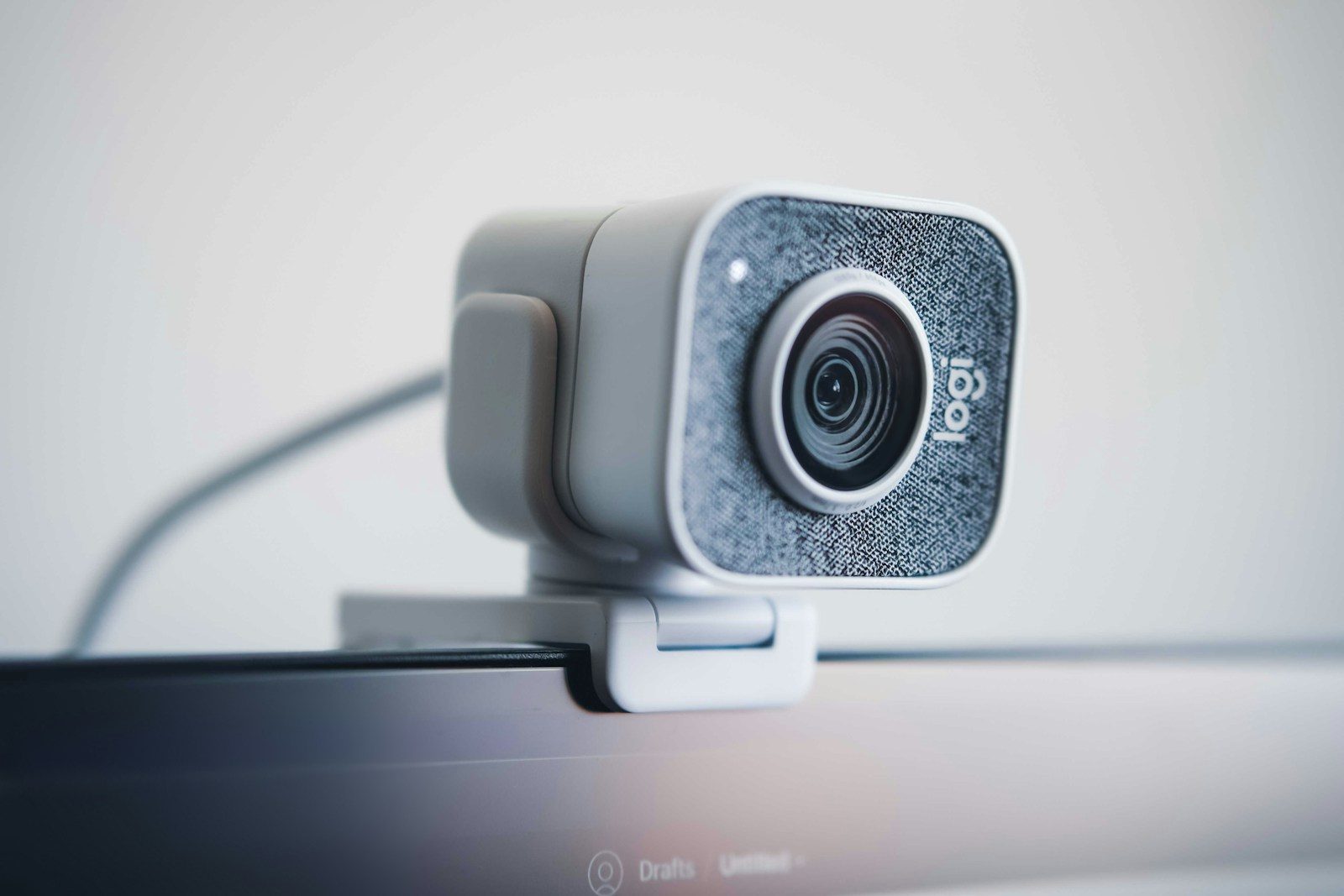
Your webcam is your face in every client meeting, team call, and professional video interaction you have remotely.
The built-in camera on most laptops was designed as an afterthought — positioned at an inconvenient angle, equipped with a small sensor, and incapable of the image quality that a dedicated external webcam delivers. In 2026, when video calls have replaced in-person meetings as the primary medium of professional interaction, this compromise is no longer acceptable for serious professionals.
The good news is that a quality external webcam costs far less than most professionals assume — and the improvement in how you appear on calls is immediately visible to everyone you speak with.
This guide identifies the best webcams for remote work in 2026 across every budget and use case — with honest performance assessments and clear recommendations based on professional workflow rather than specification sheets.
- What to Look for in a Professional Webcam
- Quick Comparison Table
- 1. Logitech MX Brio — Best Overall Webcam for Professionals
- 2. Insta360 Link 2 — Best AI Webcam for Professionals
- 3. Logitech C920s — Best Value Professional Webcam
- 4. OBSBOT Tiny 2 — Best AI Tracking Webcam Under 0
- 5. Logitech Brio 105 — Best Entry-Level Upgrade
- 6. Razer Kiyo Pro Ultra — Best for Content Creators Who Also Work Remotely
- 7. Dell UltraSharp 4K Webcam — Best for Dell Monitor Users
- Lighting: The Variable That Matters More Than Your Webcam
- Microphone Quality: The Other Half of Video Call Presence
- Complete Video Call Setup Recommendations
- For Canadian Professionals
- FAQ
- Conclusion
What to Look for in a Professional Webcam
Resolution: 1080p (Full HD) is the professional standard in 2026. 720p is noticeably softer and reads as unprepared on modern high-resolution displays. 4K provides additional sharpness and allows digital zoom without quality loss — valuable for professionals who need flexibility in framing.
Low-light performance: Most home office environments are not optimally lit. A webcam’s ability to produce clean, detailed images in imperfect lighting — without excessive grain or aggressive noise processing that smooths facial features into plastic-looking skin — separates quality webcams from budget alternatives in real-world use.
Autofocus quality: A webcam that hunts for focus during a call — pulsing in and out as it searches for the correct focal distance — is distracting and unprofessional. Quality autofocus locks onto your face quickly and maintains focus through head movement without visible searching.
Field of view: A 70–80 degree field of view is appropriate for single-person use at typical desk distances — wide enough to capture your full face and upper body without excessive background. Wider angles (90°+) are useful for showing a whiteboard or multiple people, but can make solo presenters appear small in the frame.
AI framing and tracking: Several 2026 webcams incorporate AI-powered subject tracking — automatically keeping you centered in the frame as you move. This feature is particularly useful for professionals who move during calls or who want flexibility in their workspace positioning.
Privacy shutter: A physical privacy shutter — a sliding cover that blocks the lens — is the most reliable protection against unwanted camera activation. For professionals who handle sensitive information or who simply want the assurance of a hardware-level off switch, this feature matters.
Compatibility: Plug-and-play USB compatibility with Windows, Mac, and major conferencing platforms — Zoom, Teams, Google Meet — without requiring driver installation is the baseline expectation for professional webcams in 2026.
Quick Comparison Table
| Webcam | Resolution | Low Light | AI Tracking | Privacy Shutter | Price (USD) |
|---|---|---|---|---|---|
| Logitech MX Brio | 4K / 1080p | ⭐⭐⭐⭐⭐ | ❌ | ✅ | $199 |
| Insta360 Link 2 | 4K | ⭐⭐⭐⭐⭐ | ✅ | ❌ | $299 |
| Logitech C920s | 1080p | ⭐⭐⭐⭐ | ❌ | ✅ | $79 |
| OBSBOT Tiny 2 | 4K | ⭐⭐⭐⭐ | ✅ | ❌ | $199 |
| Logitech Brio 105 | 1080p | ⭐⭐⭐⭐ | ❌ | ✅ | $79 |
| Razer Kiyo Pro Ultra | 4K | ⭐⭐⭐⭐⭐ | ❌ | ❌ | $199 |
| Dell UltraSharp 4K | 4K | ⭐⭐⭐⭐ | ✅ | ✅ | $199 |
1. Logitech MX Brio — Best Overall Webcam for Professionals
The Logitech MX Brio is the strongest overall recommendation for professional remote work — delivering 4K resolution, exceptional low-light performance, a physical privacy shutter, and Logitech’s most sophisticated image processing in a well-designed package.
Why it leads:
The MX Brio’s image quality in real-world office lighting conditions — the actual test that matters for professional use — is the best available from Logitech. Its RightLight 4 AI-powered lighting technology adjusts exposure, white balance, and noise processing in real time, producing natural skin tones and clean detail even in rooms with imperfect or mixed lighting.
The 4K sensor provides a meaningfully sharper image than 1080p webcams on high-resolution displays — and enables digital zoom within the 4K frame, allowing you to crop in to a tighter framing without losing image quality. For professionals who occasionally present from a distance from their camera, this flexibility is practically useful.
The physical privacy shutter: A sliding cover built into the camera housing physically blocks the lens when closed. Unlike software-only privacy controls, a physical shutter provides hardware-level assurance that the camera is not capturing images — an important feature for professionals who handle sensitive information in their home office.
Connectivity: USB-C connection with USB-A adapter included. Compatible with Zoom, Teams, Google Meet, and all major conferencing platforms without driver installation.
Logitech Logi Tune software: Optional desktop software allows customization of field of view (65°, 78°, or 90°), noise reduction, and image settings. The default configuration is good without adjustment — the software is a refinement option rather than a necessity.
Where it falls short: The MX Brio does not include AI subject tracking — it is a fixed-position camera. Professionals who want automatic framing adjustment as they move should look at the Insta360 Link 2 or OBSBOT Tiny 2. The $199 price point is the highest on this list for a non-tracking webcam.
Who it is for: Professionals who want the best image quality in a traditional fixed-position webcam with a privacy shutter, and who do not need AI tracking.
Pricing: $199 USD. Available on Amazon US and Amazon Canada.
Verdict: The strongest traditional webcam recommendation for professional remote work. If you want the best image quality without the complexity of AI tracking, the MX Brio is the clear choice.
2. Insta360 Link 2 — Best AI Webcam for Professionals
The Insta360 Link 2 is the most capable AI-powered webcam available for professional use — delivering 4K image quality alongside autonomous subject tracking, gesture controls, and multiple shooting modes that make it the most versatile professional webcam on this list.
Why it stands out:
The Link 2’s AI tracking system keeps you centered in the frame as you move — turning, standing, leaning — without manual adjustment. The tracking is smooth and responsive, without the jerky movement that characterized earlier versions of AI tracking cameras.
This tracking capability changes what is possible in a professional video call setup. You can stand during a call without disappearing from frame. You can reference materials to your side without your face leaving the camera. You can use a whiteboard behind you while remaining centered on screen.
Shooting modes: Beyond standard video call framing, the Link 2 offers:
- Overhead mode: The camera tilts downward to show your desk surface — useful for demonstrating physical objects or documents
- Whiteboard mode: Optimizes framing and image processing for capturing whiteboard content
- DeskView mode: A persistent overhead view of your workspace
- Portrait mode: Vertical framing for presentations optimized for mobile viewing
Gesture controls: Raise your hand to the camera and the Link 2 zooms in. Open your palm to zoom out. These gesture controls allow camera adjustment without touching the device — useful for professionals who present frequently and want to adjust framing mid-call.
4K image quality: The Link 2’s image quality is excellent — competitive with the Logitech MX Brio in good lighting, with strong low-light performance from its 1/2-inch sensor. The AI processing maintains natural skin tones and detail across varied lighting conditions.
Where it falls short: No physical privacy shutter — the camera has a software privacy mode but no hardware cover. At $299, it is the most expensive webcam on this list. The extensive feature set creates more complexity than many professionals need.
Who it is for: Professionals who present frequently, who move during calls, who need to show physical materials or whiteboards, or who want the most capable and versatile professional webcam available.
Pricing: $299 USD. Available on Amazon US and Amazon Canada.
Verdict: The strongest choice for professionals who need AI tracking and presentation flexibility. The premium over fixed-position alternatives is justified by the functional versatility it provides.
3. Logitech C920s — Best Value Professional Webcam
The Logitech C920s has been the default professional webcam recommendation for years — and in 2026 it remains the strongest choice for professionals who want reliable 1080p performance at the most accessible price point.
Why it remains relevant:
The C920s delivers the image quality, autofocus reliability, and call compatibility that professional remote work requires — at a price that makes it the easiest webcam recommendation to make without hesitation.
Its dual microphone array provides adequate audio quality for calls in quiet home office environments — though a dedicated USB microphone or headset remains the stronger choice for audio quality.
The physical privacy shutter — added in the C920s over the original C920 — provides hardware-level camera privacy.
Image quality: The C920s produces clean, detailed 1080p at 30fps in typical office lighting. In lower light, it maintains adequate quality through aggressive noise processing that is effective but less nuanced than the more expensive options above. For standard professional video calls in reasonably lit environments, the quality difference from more expensive webcams is modest.
Where it falls short: 30fps maximum frame rate is adequate for video calls but not optimal for recording. Low-light performance, while functional, shows more noise processing artifacts than the MX Brio or Insta360 Link 2. No AI tracking.
Who it is for: Professionals who need a reliable professional webcam upgrade from their laptop camera at the most accessible price. The right choice for budget-conscious professionals and for secondary use cases — home office plus travel setup, team members who need an upgrade without high investment.
Pricing: $79 USD. Frequently available at $69–$75 on Amazon during promotional periods.
Verdict: The strongest value recommendation. At $79, the C920s is the easiest webcam purchase to justify and delivers immediate visible improvement over any laptop camera.
4. OBSBOT Tiny 2 — Best AI Tracking Webcam Under 0
The OBSBOT Tiny 2 brings AI subject tracking — Insta360’s primary advantage — to a more accessible price point, making autonomous framing available to professionals without the full Insta360 Link 2 investment.
Why it stands out:
The Tiny 2’s AI tracking follows your face and body as you move — keeping you centered without manual adjustment. The tracking system performs well in typical professional use, with smooth movement and accurate subject detection.
The 4K sensor delivers sharp image quality in good lighting. The camera sits on a gimbal that physically adjusts its angle to track you — providing more natural tracking movement than purely digital crop-and-zoom alternatives.
Gesture controls: Similar to the Insta360 Link 2, the Tiny 2 responds to hand gestures — allowing zoom and tracking adjustments without touching the device.
Where it falls short: Low-light performance is noticeably behind the Logitech MX Brio and Insta360 Link 2 — the 4K sensor is smaller than the Insta360’s 1/2-inch sensor, and the image processing is less sophisticated. In dim office environments, image quality degrades more quickly than premium alternatives.
No physical privacy shutter.
Who it is for: Professionals who want AI tracking at a lower price than the Insta360 Link 2, and who work in adequately lit environments where the low-light limitation is not a significant factor.
Pricing: $199 USD. Available on Amazon US and Amazon Canada.
Verdict: The right choice for professionals who want AI tracking without paying for the Insta360 Link 2 — provided their office lighting is adequate.
5. Logitech Brio 105 — Best Entry-Level Upgrade
The Logitech Brio 105 is Logitech’s most accessible 1080p webcam — a clean, simple upgrade from a laptop camera at a price comparable to the C920s, with a more modern design and USB-C connectivity.
Why it stands out:
The Brio 105 produces clean 1080p video at 30fps with RightLight technology that adjusts exposure automatically — providing consistent image quality across varied lighting without manual adjustment. Its design is more compact and visually cleaner than the C920s.
USB-C connectivity is the practical advantage over the C920s for professionals using modern MacBooks or laptops with USB-C only — eliminating the need for a USB-A adapter.
Physical privacy shutter: The Brio 105 includes a physical privacy shutter — matching the C920s on this important feature.
Where it falls short: The image quality is comparable to the C920s rather than materially better. For the same price, the choice between them primarily comes down to USB-C preference and design aesthetic.
Pricing: $79 USD. Available on Amazon US and Amazon Canada.
Verdict: The right choice over the C920s for professionals with USB-C only laptops. Equivalent quality in a more modern form factor.
6. Razer Kiyo Pro Ultra — Best for Content Creators Who Also Work Remotely
The Razer Kiyo Pro Ultra targets a specific professional profile — those who use their webcam for both professional video calls and content creation, and who need the best possible image quality for both use cases.
Why it stands out:
The Kiyo Pro Ultra’s 1/1.2-inch Sony STARVIS 2 sensor is the largest available on any webcam on this list — delivering low-light performance that is genuinely exceptional. In dark or poorly lit environments where other webcams struggle, the Kiyo Pro Ultra maintains clean, detailed image quality with natural noise characteristics rather than aggressive processing.
4K at 30fps or 1080p at 60fps provides flexibility between maximum resolution and smoother motion.
HDR support: High Dynamic Range processing maintains detail in both shadows and highlights simultaneously — useful in environments with strong directional lighting or window backgrounds.
Where it falls short: No physical privacy shutter. No AI tracking. The Razer brand and aesthetic are gaming-oriented — the camera’s appearance is more prominent on a desk than the understated Logitech alternatives. At $199, it competes on price with the Logitech MX Brio and OBSBOT Tiny 2.
Who it is for: Professionals who prioritize the absolute best low-light image quality and who also use their webcam for streaming or content creation.
Pricing: $199 USD. Available on Amazon US and Amazon Canada.
Verdict: The strongest choice for maximum low-light image quality. Worth considering over the MX Brio for professionals in darker home office environments who also create content.
7. Dell UltraSharp 4K Webcam — Best for Dell Monitor Users
The Dell UltraSharp 4K Webcam integrates into Dell’s broader professional ecosystem — sitting elegantly on top of Dell monitors and delivering 4K image quality with AI subject detection and framing.
Why it stands out:
The Dell UltraSharp’s AI framing automatically adjusts crop and zoom to keep you centered — a tracking feature that distinguishes it from the Logitech alternatives at the same price point. Its 4K Sony STARVIS sensor produces clean, detailed image quality competitive with the Logitech MX Brio.
The physical privacy shutter covers both the camera and the IR sensor used for Windows Hello facial recognition — a clean security solution for Dell ecosystem users.
AI framing: Unlike the physical gimbal tracking of OBSBOT or Insta360, Dell’s AI framing uses digital crop-and-zoom within the 4K frame. This means tracking operates without any physical camera movement — quieter and potentially more stable, but with less range than gimbal-based alternatives.
Where it falls short: The Dell UltraSharp is available specifically through Dell and select retailers — less universally available than Logitech alternatives. Its aesthetic is optimized for Dell monitor integration and may look out of place on other setups.
Who it is for: Dell monitor users who want a matched, integrated webcam with AI framing and a privacy shutter in a single package from the same ecosystem.
Pricing: $199 USD. Available through Dell.com and select retailers.
Verdict: The right choice for Dell monitor users who want full ecosystem integration. Less compelling as a standalone webcam choice compared to alternatives.
Lighting: The Variable That Matters More Than Your Webcam
The single most impactful change most remote professionals can make to their video call appearance is not upgrading their webcam — it is improving their lighting.
A $79 webcam in good lighting looks better than a $299 webcam in poor lighting. This is not a marketing claim — it is a straightforward result of how camera sensors work. Image quality is determined primarily by the quantity and quality of light reaching the sensor.
The Fundamental Lighting Principle
Your primary light source should face you — positioned in front of you, between you and the camera. A window behind you creates a silhouette. A window to your side creates harsh shadows. A light source in front of you illuminates your face evenly and naturally.
Natural light: If your desk can be positioned facing a window — with the window in front of you rather than behind you or to the side — this is the best and cheapest lighting upgrade available. The quality of natural light is genuinely excellent and requires no additional equipment.
Desk lighting for video calls:
Elgato Key Light Mini ($79 USD): A compact LED light panel designed specifically for video call and content quality. Soft, diffused LED light eliminates harsh shadows. App-controlled brightness and color temperature allow adjustment without interrupting your call.
BenQ ScreenBar ($110 USD): Primarily a desk productivity light — its asymmetric optics illuminate your desk without creating screen glare — but also improves your ambient lighting environment for video calls. Less targeted than the Elgato for video call lighting specifically, but excellent as a dual-purpose desk and call lighting solution.
Ring lights ($25–$60 USD): Entry-level ring lights provide adequate frontal lighting for video calls at low cost. Quality varies significantly — look for lights with adjustable color temperature rather than fixed warm or cool options.
Microphone Quality: The Other Half of Video Call Presence
Your audio quality affects every person on every call you attend — and is at least as important as your video quality for professional impression management.
Built-in laptop microphones and webcam microphones pick up room echo, keyboard noise, and background sounds in ways that are immediately apparent to listeners. A dedicated microphone — or a quality headset — delivers significantly cleaner voice audio.
For professionals who prefer not to wear a headset:
Blue Yeti Nano ($80 USD): USB condenser microphone with cardioid pickup pattern that focuses on your voice while reducing background noise. Sits on your desk facing you. The most widely used desktop microphone among remote professionals.
For professionals who prefer headset convenience:
Jabra Evolve2 30 ($90 USD): Professional-grade noise cancellation on the microphone side — isolating your voice clearly even in shared environments. Comfortable for all-day wear. USB-C connectivity.
Complete Video Call Setup Recommendations
Entry-Level Professional Setup (0 USD)
- Logitech C920s or Brio 105: $79
- Elgato Key Light Mini: $79
- Use laptop or device microphone
This setup delivers immediate, visible improvement in both image quality and lighting for the majority of remote professionals.
Professional Setup (0 USD)
- Logitech MX Brio: $199
- Elgato Key Light Mini: $79
- Blue Yeti Nano or Jabra headset: $80–$90
This setup produces professional-grade video call presence that reads as deliberately prepared and technically competent — appropriate for client-facing professionals, executives, and anyone for whom video call quality reflects on their professional brand.
Premium Setup (0 USD)
- Insta360 Link 2: $299
- Elgato Key Light Mini: $79
- Jabra Evolve2 30: $90
- USB-C hub for connectivity: $40–$60
This setup provides the full range of AI tracking, presentation flexibility, and audio quality that the most demanding professional video use cases require.
For Canadian Professionals
All webcams on this list are available through Amazon Canada. Approximate CAD pricing:
| Webcam | Approx. CAD |
|---|---|
| Logitech C920s / Brio 105 | $105–$115 |
| Logitech MX Brio | $265–$280 |
| Insta360 Link 2 | $400–$420 |
| OBSBOT Tiny 2 | $265–$280 |
| Razer Kiyo Pro Ultra | $265–$280 |
Best Buy Canada and Canada Computers also carry Logitech webcams with price-match policies — worth checking before purchasing.
FAQ
Is a 4K webcam worth it for video calls? For video calls on most conferencing platforms — which compress video streams regardless of source resolution — the practical difference between 4K and 1080p in the received image is modest. The value of 4K comes from the ability to digitally zoom within the full-resolution frame without quality loss, and from the larger sensor that typically accompanies 4K webcams, delivering better low-light performance. For most professionals, a high-quality 1080p webcam in good lighting produces better results than a 4K webcam in poor lighting.
Can I use my iPhone or Android as a webcam? Yes. iOS 16 and later support Continuity Camera — using your iPhone as a Mac webcam with no additional software. Third-party apps like Camo and EpocCam extend this functionality to Windows and Android. Modern smartphone cameras deliver image quality competitive with dedicated webcams and are worth considering as an alternative — particularly for professionals who already own a recent iPhone.
Do I need a webcam if I already have a good laptop camera? The built-in cameras on premium laptops — particularly recent MacBook Pros — have improved significantly and are adequate for professional use in good lighting. If your laptop has a 1080p or better front camera with functional low-light performance, a dedicated webcam is a quality improvement rather than a necessity. If your laptop has a 720p camera — still common — a dedicated webcam upgrade is immediately worthwhile.
How important is the field of view? For solo video calls at typical desk distances (60–90cm from camera), a 70–80 degree field of view frames you appropriately — capturing face and upper body without excessive background. Wider angles (90°+) are useful for showing multiple people or physical objects but make solo presenters appear smaller in the frame. The right field of view depends on your use case.
Will a better webcam improve how I look on video calls? A better webcam in good lighting will produce a cleaner, sharper, more professional-looking image. But lighting improvement typically produces a greater visual impact than webcam upgrade alone. If your current webcam image looks poor in adequate lighting, an upgrade helps. If it looks poor in dim lighting, improve the lighting first.
Conclusion
Your webcam is your professional face in every remote interaction — and the gap between a laptop camera and a quality external webcam is immediately visible to everyone on your calls.
For most remote professionals, the Logitech C920s or Brio 105 at $79 provides immediate, meaningful improvement from a laptop camera at the most accessible price. For professionals who want the best traditional webcam experience with exceptional low-light performance and a privacy shutter, the Logitech MX Brio at $199 is the strongest recommendation. For professionals who present frequently or need AI tracking flexibility, the Insta360 Link 2 at $299 provides the most capable professional webcam available.
Pair any webcam with a front-facing light source — the Elgato Key Light Mini at $79 is the most direct upgrade — and the improvement in how you appear on professional calls will be immediate and visible.
Invest once in a quality setup. Use it daily. The professional impression it creates compounds across every call you make.


Comments