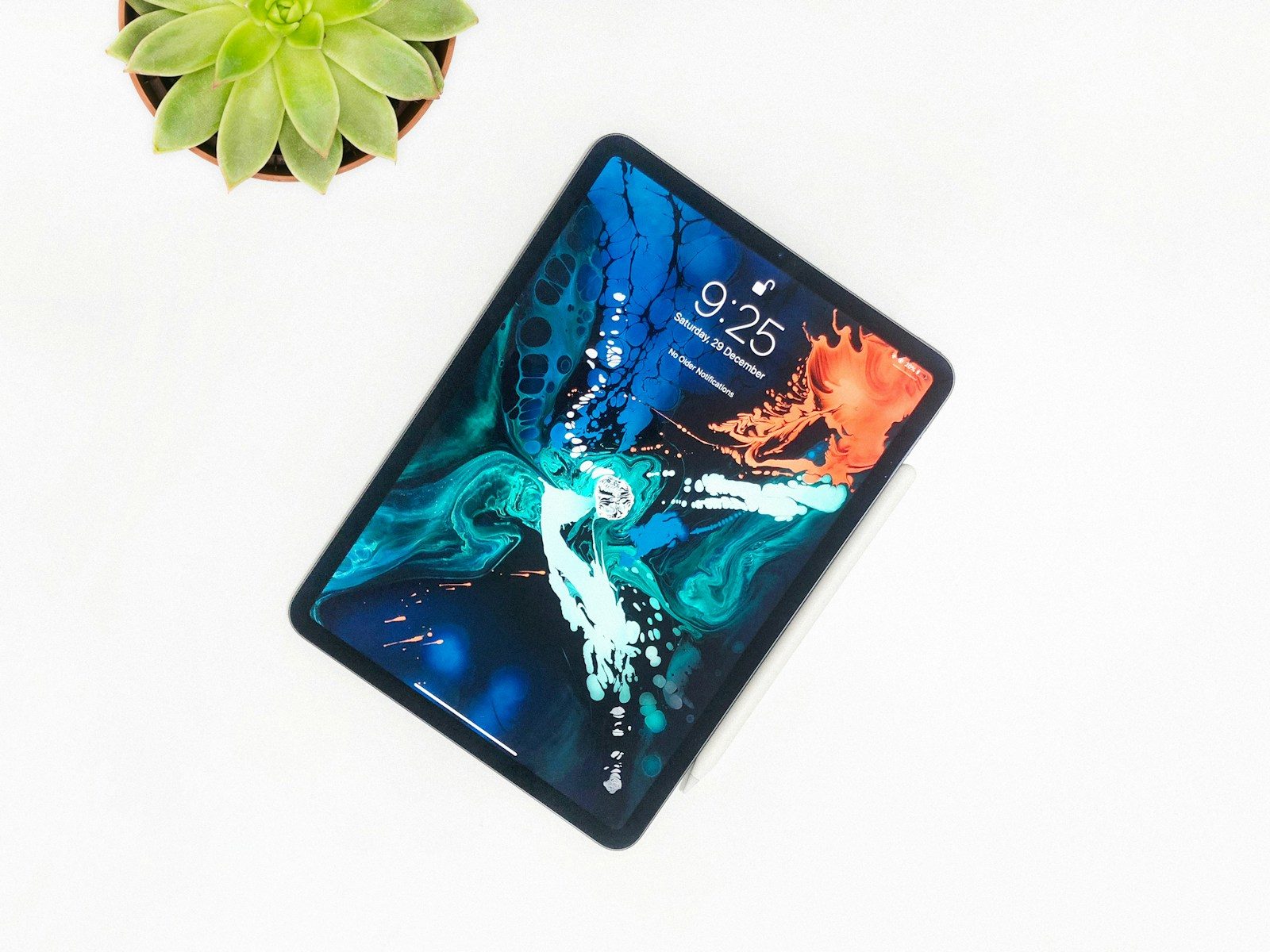
The iPad has crossed a threshold that once seemed unlikely: for a growing number of professionals, it is a genuine primary computing device — not a supplement to a laptop, but a replacement for one.
Apple’s M-series chips have eliminated the performance gap that previously made iPad a compromised choice for serious professional work. The software ecosystem has matured. The accessory lineup — Magic Keyboard, Apple Pencil, and a growing range of professional applications — has made the iPad a credible professional tool for specific workflows.
But the iPad lineup in 2026 is genuinely complex. Four distinct models at dramatically different price points — iPad, iPad mini, iPad Air, and iPad Pro — serve different professional profiles with different capability levels. The wrong choice is easy to make if you optimize for price without understanding what each model actually delivers for your specific workflow.
This guide cuts through the complexity. It identifies which iPad is right for each professional profile — and which professionals should skip the iPad entirely and spend their budget elsewhere.
- The 2026 iPad Lineup at a Glance
- Understanding the Chip Difference: What Actually Matters
- iPad (10th Generation) — Best Entry-Level iPad for Light Professional Use
- iPad mini (7th Generation) — Best iPad for Professionals Who Prioritize Portability
- iPad Air 11″ (M3) — Best iPad for Most Professionals
- iPad Air 13″ (M3) — Best for Professionals Who Need Maximum Screen Real Estate
- iPad Pro 11″ (M4) — Best iPad for Demanding Creative and Technical Professionals
- iPad Pro 13″ (M4) — Best for Power Users Who Want the Ultimate iPad
- Essential Accessories for Professional iPad Use
- iPad vs MacBook: Which Should Professionals Choose?
- How Much Storage Do You Need?
- Cellular vs Wi-Fi Only
- For Canadian Professionals
- FAQ
- Conclusion
The 2026 iPad Lineup at a Glance
| Model | Chip | Display | Storage | Starting Price (USD) |
|---|---|---|---|---|
| iPad (10th gen) | A14 Bionic | 10.9″ Liquid Retina | 64GB | $349 |
| iPad mini (7th gen) | A17 Pro | 8.3″ Liquid Retina | 128GB | $499 |
| iPad Air 11″ (M3) | Apple M3 | 11″ Liquid Retina | 128GB | $599 |
| iPad Air 13″ (M3) | Apple M3 | 13″ Liquid Retina | 128GB | $799 |
| iPad Pro 11″ (M4) | Apple M4 | 11″ Ultra Retina XDR | 256GB | $999 |
| iPad Pro 13″ (M4) | Apple M4 | 13″ Ultra Retina XDR | 256GB | $1,299 |
Understanding the Chip Difference: What Actually Matters
The chip distinction between iPad models is more significant than the marketing suggests — because it determines not just current performance but long-term software support and the ceiling of what demanding applications can do.
A14 Bionic (iPad 10th gen)
The A14 Bionic is a capable chip for everyday professional tasks — email, documents, video calls, web browsing, and standard productivity applications. It handles these tasks without hesitation.
Where it falls short: demanding creative applications, large file processing, and the most intensive multitasking scenarios push it noticeably harder than M-series chips. For professionals whose workflow stays within standard productivity applications, this limitation is rarely encountered. For creative professionals or those using demanding technical applications, it is a real constraint.
A17 Pro (iPad mini 7th gen)
The A17 Pro — the same chip found in the iPhone 15 Pro — represents a significant step up from the A14. It handles demanding applications with greater ease and supports Apple Intelligence features that the A14 does not.
The A17 Pro’s hardware ray tracing and advanced GPU capabilities are primarily relevant for gaming and 3D applications rather than typical professional workflows. The more practically relevant advantage is the neural engine performance that enables on-device AI processing — making it future-resistant in ways the A14 is not.
Apple M3 (iPad Air)
The M3 chip brings laptop-class processing to the iPad Air — the same chip found in the MacBook Air M3. For professional use, the M3 eliminates virtually every performance concern across the full range of knowledge work, creative, and technical applications.
The M3’s unified memory architecture — allowing up to 16GB of RAM in the iPad Air — handles complex multitasking, demanding creative applications, and large file processing without constraint.
Apple M4 (iPad Pro)
The M4 represents Apple’s most capable chip in any iPad — delivering performance that exceeds most laptop processors in sustained workloads. For the vast majority of professional use cases, the M4 provides more processing capability than any application currently demands.
The M4’s primary practical advantage over the M3 is its neural engine performance — the fastest available in any Apple device — and its display hardware support for the ProMotion XDR display that is unique to the iPad Pro.
iPad (10th Generation) — Best Entry-Level iPad for Light Professional Use
The 10th generation iPad is the most accessible iPad available — and for professionals whose workflow centers on consumption, communication, and standard productivity applications, it delivers genuine professional utility at the lowest price in the lineup.
Who it serves:
The iPad 10th gen is appropriate for professionals who need a tablet for supplementary professional use — reading documents and research on a larger screen than their phone, taking notes in meetings, reviewing presentations, video calls from locations where carrying a laptop is inconvenient, and basic document editing.
It is not appropriate as a primary work device for professionals who need to produce significant professional output. The A14 chip, while capable, shows its age under demanding workflows — and the 64GB base storage is constraining for professionals working with significant files.
The USB-C connectivity: The 10th gen iPad uses USB-C — a meaningful improvement over older Lightning models. Connecting to monitors, external storage, and peripherals is straightforward without adapters.
Apple Pencil compatibility: The 10th gen iPad supports the Apple Pencil (USB-C) — the entry-level pencil option. It does not support the Apple Pencil Pro or Apple Pencil 2nd generation, which is a relevant limitation for professionals who want advanced pencil features like hover and squeeze gestures.
Magic Keyboard Folio: The 10th gen iPad is compatible with the Magic Keyboard Folio — a full keyboard and trackpad case that transforms it into a laptop-like form factor. At $249 for the keyboard, the total investment approaches iPad Air territory without the Air’s chip advantages.
Where it falls short: No ProMotion — the 60Hz display refresh rate is noticeably less smooth than the 120Hz ProMotion on iPad Pro models. No Apple Pencil Pro support. A14 chip limits long-term software support and demanding application performance.
Pricing: $349 USD (64GB Wi-Fi). $499 USD (64GB Wi-Fi + Cellular).
Verdict: The right choice for professionals who need a capable tablet for supplementary use at the lowest possible price. Not recommended as a primary professional computing device.
iPad mini (7th Generation) — Best iPad for Professionals Who Prioritize Portability
The iPad mini 7th generation is the most distinctive iPad in the lineup — an 8.3-inch tablet that fits in a jacket pocket and delivers A17 Pro chip performance in the most portable Apple tablet available.
Who it serves:
The iPad mini serves a specific professional profile particularly well: field professionals who need a capable device for reference, documentation, and communication in contexts where a full-size tablet or laptop is inconvenient.
Healthcare professionals reviewing patient records between appointments. Architects and engineers visiting job sites. Sales professionals demonstrating products in client environments. Field technicians accessing documentation and submitting reports. Any professional who values the ability to carry a capable device in a pocket or small bag.
A17 Pro performance: The A17 Pro chip delivers performance that handles demanding professional applications — video editing, complex document processing, advanced creative tools — with genuine capability. For professionals who use their iPad mini for serious work rather than consumption only, the A17 Pro is a meaningful step up from the previous iPad mini’s A15.
Apple Intelligence: The A17 Pro supports Apple Intelligence — Apple’s on-device AI features including writing assistance, image generation, smart summaries, and enhanced Siri capabilities. This support makes the iPad mini 7th gen future-resistant in ways that older chip iPads are not.
Apple Pencil Pro: The iPad mini 7th gen supports the Apple Pencil Pro — including hover detection, squeeze gestures, and barrel roll — making it a capable note-taking and sketching device despite its compact dimensions.
Where it falls short: The 8.3-inch display, while excellent in quality, is small for extended document editing or content creation. The small size makes keyboard-and-trackpad use less practical than on larger iPads. No landscape front camera — the camera is positioned for portrait orientation, which creates an off-center camera position in landscape video calls.
Pricing: $499 USD (128GB Wi-Fi). $649 USD (128GB Wi-Fi + Cellular).
Verdict: The best iPad for professionals who prioritize maximum portability with genuine performance capability. Not appropriate as a primary work device for professionals who need a large display or extended keyboard use.
iPad Air 11″ (M3) — Best iPad for Most Professionals
The iPad Air 11″ M3 is the strongest overall iPad recommendation for the majority of professionals — delivering M3 chip performance, a high-quality 11-inch display, and full accessory compatibility at a price that is defensible for professional investment without requiring the iPad Pro’s premium.
Why it leads for most professionals:
The M3 chip eliminates every performance concern for standard professional workflows. Document editing, spreadsheet analysis, video calls, presentation creation, email management, web research, and even demanding creative applications like video editing and graphic design run on the M3 iPad Air without constraint.
The 11-inch display provides enough screen real estate for productive work — particularly when paired with the Magic Keyboard, which adds a trackpad and creates a laptop-like experience. The display is bright, sharp, and accurate — not at the ProMotion XDR level of the iPad Pro, but genuinely excellent for professional use.
Magic Keyboard compatibility: The iPad Air 11″ M3 is compatible with the Magic Keyboard for iPad Air — a slim, elegant keyboard and trackpad case that pairs via the Smart Connector (no Bluetooth pairing or charging required). The trackpad enables a full cursor-based computing experience that makes iPadOS feel significantly more like a desktop operating system for professional productivity tasks.
Apple Pencil Pro: The iPad Air M3 supports the Apple Pencil Pro — the most capable pencil Apple offers, with hover detection, squeeze gestures, barrel roll, and haptic feedback. For professionals who annotate documents, sketch wireframes, or take handwritten notes, the Pencil Pro’s capabilities are meaningfully better than earlier pencil generations.
The sweet spot argument: The iPad Air M3 at $599 versus the iPad Pro 11″ M4 at $999 is a $400 difference for a chip upgrade (M3 to M4) and a display upgrade (Liquid Retina to Ultra Retina XDR with ProMotion). For professionals whose work does not specifically benefit from these upgrades — which is most professionals — the Air’s value proposition is clearly stronger.
Where it falls short: No ProMotion — the 60Hz display refresh rate, while not a problem for most professional tasks, is less smooth than the iPad Pro’s 120Hz for scrolling and pencil latency. No OLED display — the iPad Pro’s Ultra Retina XDR delivers noticeably better contrast and HDR performance for professionals whose work involves high-quality visual content.
Pricing: $599 USD (128GB Wi-Fi). $749 USD (256GB Wi-Fi). $799 USD (128GB Wi-Fi + Cellular).
Verdict: The strongest overall iPad recommendation for professionals. The M3 chip handles every professional workflow, the accessory ecosystem is complete, and the price is justified without requiring the iPad Pro’s premium. If you are buying one iPad for professional use and are uncertain which to choose, start here.
iPad Air 13″ (M3) — Best for Professionals Who Need Maximum Screen Real Estate
The iPad Air 13″ M3 delivers the same M3 chip performance as the 11″ model in a 13-inch display — making it the right choice for professionals who prioritize screen real estate and use their iPad as their primary computing display.
Why the larger screen matters:
The 13-inch display provides enough room to work comfortably in split-screen mode — two applications side by side with adequate space for each. For professionals who regularly reference one document while editing another, or who use a research tool alongside a writing application, the additional screen real estate changes the experience meaningfully.
At 264 PPI, the 13″ Air’s display is sharp and accurate. Running the M3 chip, its performance matches the 11″ model identically — the size difference is purely about display and dimensions.
Keyboard experience: The Magic Keyboard for the 13″ iPad Air provides a larger keyboard with more comfortable key spacing — a meaningful ergonomic advantage for professionals who type extensively. The larger trackpad also provides more comfortable gesture use.
Weight consideration: The 13″ iPad Air weighs 617g — noticeably heavier than the 11″ model at 462g. For professionals who carry their iPad frequently, this weight difference is relevant. For those who use it primarily at a desk, it is less significant.
Pricing: $799 USD (128GB Wi-Fi). $949 USD (256GB Wi-Fi). $999 USD (128GB Wi-Fi + Cellular).
Verdict: The right choice for professionals who use their iPad as a primary display and want the largest possible screen in the Air lineup. If you primarily use your iPad on a desk with a keyboard, the 13″ is worth the premium over the 11″.
iPad Pro 11″ (M4) — Best iPad for Demanding Creative and Technical Professionals
The iPad Pro 11″ M4 is the most capable 11-inch tablet available — delivering the M4 chip, the Ultra Retina XDR OLED display, ProMotion at 120Hz, and the full iPad Pro accessory ecosystem for professionals whose work genuinely demands the best available hardware.
Why the iPad Pro commands its premium:
The Ultra Retina XDR OLED display: The iPad Pro’s OLED display is the most significant hardware differentiator from the iPad Air. True OLED technology delivers perfect blacks, infinite contrast, and HDR performance that the LCD displays in the iPad Air and iPad mini cannot match.
For professionals whose work involves color-critical visual content — video editors reviewing footage, photographers assessing images, designers evaluating layouts — the OLED display is a genuine professional tool, not a luxury feature. Colors are more accurate, shadows retain detail, and HDR content looks as it was intended.
ProMotion at 120Hz: The 120Hz adaptive refresh rate makes scrolling, animation, and Apple Pencil response noticeably smoother than 60Hz displays. For professionals who use the Apple Pencil extensively — particularly for precise annotation or illustration — the reduced pencil latency at 120Hz is a meaningful improvement over 60Hz alternatives.
M4 performance: The M4 delivers the fastest processing available in any iPad — relevant for professionals running the most demanding applications. Video editors working with 4K or 8K footage, developers running complex code compilation, and machine learning professionals working with large models benefit from M4’s performance advantages over M3.
Thunderbolt connectivity: The iPad Pro 11″ includes a Thunderbolt / USB 4 port — supporting connection to external displays at up to 6K resolution and data transfer at up to 40Gbps. For professionals who use their iPad Pro with external monitors or high-speed storage, this connectivity is significantly better than the USB 3 port on the iPad Air.
Where it falls short: The M4 performance advantage over M3 is meaningful for demanding creative workflows but invisible for standard professional productivity tasks. The OLED display advantage, while genuine, is only relevant for professionals whose work involves color-critical visual content. For document work, email, and standard productivity — the vast majority of knowledge work — the iPad Air M3 delivers an indistinguishable experience at $400 less.
Pricing: $999 USD (256GB Wi-Fi). $1,199 USD (512GB Wi-Fi). $1,199 USD (256GB Wi-Fi + Cellular).
Verdict: The right choice for creative professionals whose work genuinely benefits from OLED display accuracy, ProMotion pencil response, and M4 performance. Not justified for professionals whose primary use is knowledge work productivity.
iPad Pro 13″ (M4) — Best for Power Users Who Want the Ultimate iPad
The iPad Pro 13″ M4 is the most capable iPad Apple makes — combining the 13-inch Ultra Retina XDR OLED display with M4 performance, ProMotion, and Thunderbolt connectivity in the largest iPad form factor available.
Who it serves:
The iPad Pro 13″ is the appropriate choice for professionals who use their iPad as a primary computing device for demanding creative workflows — video production, professional illustration, architectural visualization, and advanced technical work — and who want the largest display available for that work.
For these professionals, the 13″ Pro’s combination of display quality, performance, and screen real estate creates a genuinely exceptional creative workstation in a portable form factor.
The Apple Pencil Pro experience on 13″: The combination of the 13″ OLED display and Apple Pencil Pro creates the most capable digital canvas available in any tablet — relevant for illustrators, architects, and designers who use the iPad Pro as a primary creative tool.
Where it falls short: At 579g for the tablet alone — plus the weight of the Magic Keyboard case — the 13″ iPad Pro is a heavy portable device. Professionals who carry it frequently will notice the weight. And at $1,299 starting price, it represents a significant investment that requires genuine justification from your specific professional workflow.
Pricing: $1,299 USD (256GB Wi-Fi). $1,499 USD (512GB Wi-Fi). $1,499 USD (256GB Wi-Fi + Cellular).
Verdict: The ultimate iPad for demanding creative professionals. Justified only for those whose work specifically benefits from OLED display quality, ProMotion, M4 performance, and maximum screen real estate — and who use their iPad as a primary tool rather than a supplement.
Essential Accessories for Professional iPad Use
Magic Keyboard
The Magic Keyboard is the accessory that most changes the iPad’s professional utility — transforming it from a tablet into a laptop-like computing device with a full keyboard and trackpad.
The trackpad enables cursor-based interaction with iPadOS — making text selection, application switching, and precise interface control significantly more efficient than touch-only use. For professionals who produce significant written output on their iPad, the Magic Keyboard is not optional — it is the accessory that makes productivity work practical.
Pricing: Magic Keyboard for iPad Air 11″: $299 USD Magic Keyboard for iPad Air 13″: $349 USD Magic Keyboard for iPad Pro 11″: $299 USD Magic Keyboard for iPad Pro 13″: $349 USD
Apple Pencil Pro
The Apple Pencil Pro adds hover detection — showing a cursor when the pencil approaches the screen before contact — squeeze gesture support, barrel roll for compatible applications, and haptic feedback.
For professionals who annotate documents, take handwritten notes, sketch wireframes, or use any application that benefits from precise stylus input, the Apple Pencil Pro is the strongest pencil option available for M3 and M4 iPads.
Pricing: $129 USD
Apple Pencil (USB-C)
The entry-level Apple Pencil for USB-C iPads provides basic stylus functionality — pressure sensitivity and tilt detection — without the advanced features of the Pro. For professionals who need occasional stylus use without the Pencil Pro’s advanced capabilities, the USB-C pencil is the cost-effective option.
Pricing: $79 USD
iPad vs MacBook: Which Should Professionals Choose?
The iPad versus MacBook question is the most common decision facing professionals considering an Apple computing investment — and the honest answer depends entirely on your specific workflow.
Choose iPad if:
- Your work is primarily consumption, annotation, and communication
- You work extensively in specific applications with strong iPad versions — Procreate, LumaFusion, Notability, GoodNotes
- You value touch and pencil interaction as primary input methods
- Portability and form factor flexibility are primary concerns
- You have a Mac at your desk and want a portable complement
Choose MacBook if:
- Your work involves applications without strong iPad versions — complex development environments, specialized professional software, advanced data analysis tools
- You need to run multiple demanding applications simultaneously
- Your work involves file management complexity that iPadOS handles less elegantly than macOS
- You prefer a traditional keyboard-first computing experience
Use both if: Many professionals find the combination of a MacBook at their desk and an iPad for portable use — or for specific creative workflows — more useful than either device alone. The iPad’s strengths complement the MacBook’s rather than competing with it.
How Much Storage Do You Need?
iPad storage cannot be upgraded after purchase. Choose the right amount at the time of buying.
128GB: Sufficient for professionals who store primarily in cloud services — iCloud, Google Drive, OneDrive — and maintain minimal local file storage. This is adequate for most knowledge work professionals.
256GB: Comfortable for professionals who download content for offline use, maintain local copies of significant projects, or use applications with large local libraries. Recommended as the default for professional use.
512GB: Appropriate for video editors, photographers, and professionals working with large media files. If your work involves significant media storage, this tier provides meaningful headroom.
1TB and 2TB: Available on iPad Pro models. Relevant for professionals who use their iPad Pro as a primary storage device for large media production workflows.
Cellular vs Wi-Fi Only
The cellular option adds approximately $200 to the price of any iPad and enables mobile data connectivity independent of Wi-Fi networks.
Cellular is worth considering if:
- You regularly work from locations without reliable Wi-Fi — trains, client sites, coworking spaces with poor connectivity
- You travel frequently and want connectivity without depending on hotel or public Wi-Fi
- You use your iPad as a primary device rather than a supplement to a laptop
Wi-Fi only is appropriate if:
- You primarily use your iPad at home, in your office, or in locations with reliable Wi-Fi
- You carry an iPhone with hotspot capability that covers your mobile connectivity needs
For most professionals who carry an iPhone, the hotspot capability makes cellular iPad less necessary — your iPhone can share its connection with your iPad when needed.
For Canadian Professionals
All iPad models are available through Apple Canada (apple.com/ca), Amazon Canada, and Best Buy Canada.
Approximate CAD pricing:
| Model | Starting Price CAD |
|---|---|
| iPad (10th gen) | $479 |
| iPad mini (7th gen) | $679 |
| iPad Air 11″ M3 | $819 |
| iPad Air 13″ M3 | $1,089 |
| iPad Pro 11″ M4 | $1,369 |
| iPad Pro 13″ M4 | $1,779 |
Education pricing: Apple Canada offers education pricing for students and educators — typically $50–$150 CAD below standard retail depending on the model. Available through the Apple Education Store with basic eligibility verification.
FAQ
Is iPadOS ready for professional use in 2026? For many professional workflows — document creation, communication, creative applications, and specific technical tools — yes. For professionals who depend on complex desktop applications without iPad equivalents, macOS remains the more capable platform. The honest answer depends on your specific applications.
Can I use an iPad as my only computer? For some professionals, yes. Professionals whose workflow centers on communication, document creation, creative applications, and web-based tools can use an iPad as their primary computing device. Professionals who depend on desktop-class software — complex development environments, advanced data analysis tools, specialized industry software — will find the iPad a capable supplement but not a complete replacement.
Is the Magic Keyboard worth the price? For professionals who plan to produce significant written output on their iPad, yes. The keyboard and trackpad transform the iPad’s productivity capability in ways that the touch-only experience does not match. If you plan to use your iPad primarily for consumption rather than production, the Magic Keyboard is less necessary.
How long will an iPad last for professional use? Apple provides iPadOS updates for approximately 6–7 years from release. M-series chip iPads — Air and Pro — will likely remain current for software purposes longer than A14 iPads due to their chip architecture. For professional investment, M-series iPads are the more future-resistant choice.
Should I buy the iPad Pro or iPad Air? For most professionals, the iPad Air M3 delivers everything the iPad Pro offers for standard professional productivity — at $400 less. The iPad Pro is justified specifically for creative professionals whose work benefits from the OLED display, ProMotion, and M4 performance — video editors, illustrators, architects, and professionals whose primary tool is the Apple Pencil.
Conclusion
The iPad for professionals in 2026 is not a single choice — it is a lineup with genuinely distinct models serving genuinely different professional profiles.
For most professionals — knowledge workers, consultants, analysts, and anyone whose primary work is documents, communication, and standard productivity — the iPad Air 11″ M3 is the strongest recommendation. It delivers M3 performance, full accessory compatibility, and genuine professional capability at a price that is justified without requiring the iPad Pro’s premium.
For professionals who prioritize portability above all else, the iPad mini 7th generation offers A17 Pro performance in the most portable Apple tablet available.
For creative professionals whose work involves color-critical visual content, intensive Apple Pencil use, or demanding media production, the iPad Pro M4 — in 11″ or 13″ depending on display preference — delivers the OLED display quality and M4 performance that those workflows genuinely benefit from.
And for professionals whose workflows depend on desktop-class software that iPadOS does not fully support — the MacBook remains the stronger professional tool, with an iPad as a capable and complementary portable device.
Buy the right iPad for your actual workflow. Add the Magic Keyboard if you plan to produce significant output. The productivity return begins the day you open the box.

Comments