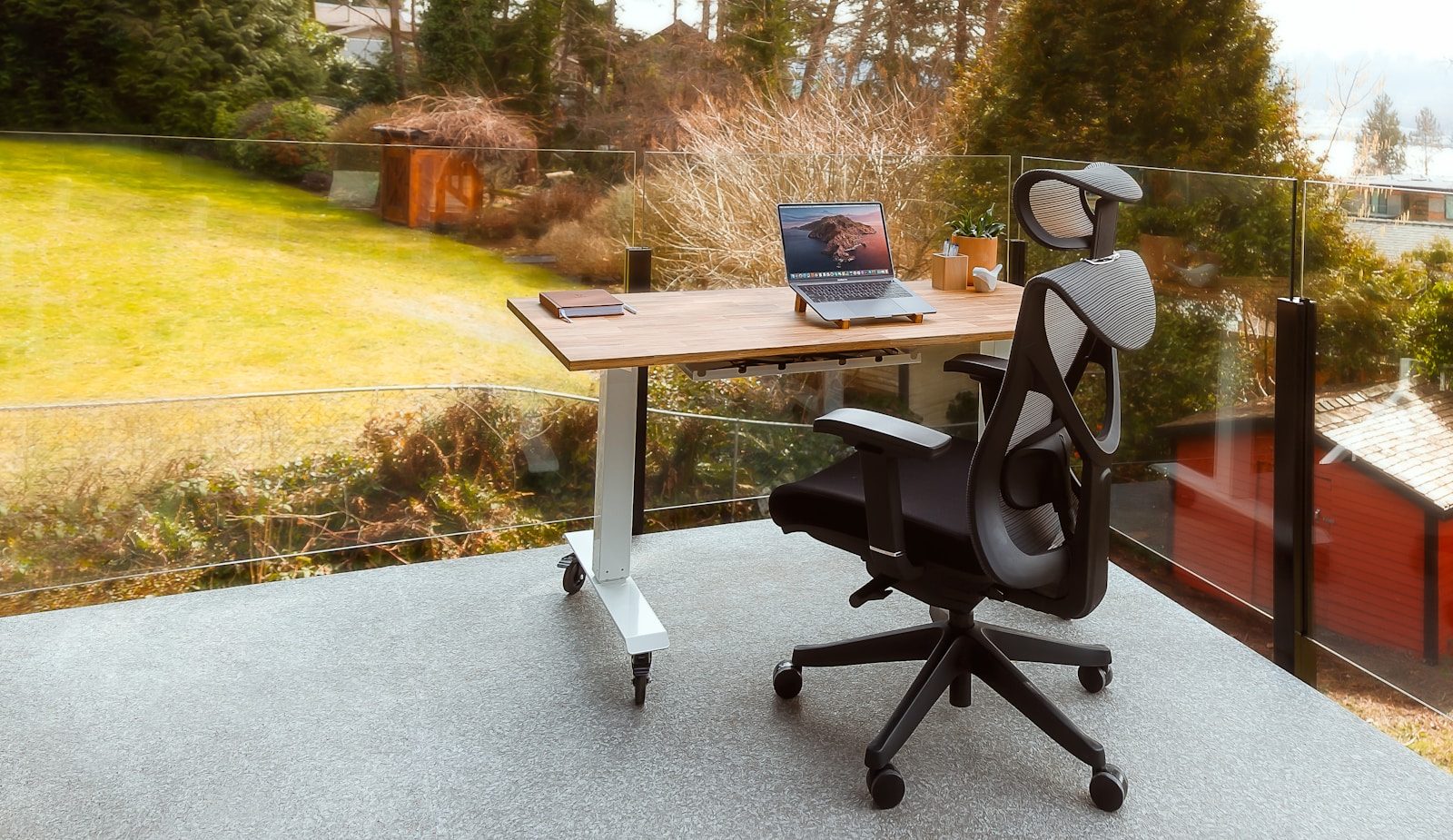
Your chair is the piece of equipment you interact with more than any other in your home office.
Not your laptop. Not your monitor. Your chair — the surface that supports your body for 6–10 hours every working day.
Yet most remote professionals sit on chairs that were purchased based on price, aesthetics, or what happened to be available — not on ergonomic criteria that determine whether extended professional use causes cumulative physical damage or sustained comfort.
The consequences of a poor chair are not immediately visible. They accumulate. Lower back tightness becomes lower back pain. Shoulder tension becomes chronic tension headaches. Hip flexor tightness from incorrect seat depth becomes postural problems that require physiotherapy to address.
A quality ergonomic chair does not solve all posture problems — no chair does that, because movement matters as much as seating position. But it provides the adjustability to support correct posture across your specific body dimensions, and the material quality to maintain that support across years of daily professional use.
This guide identifies the best ergonomic chairs for home office use in 2026 at every price point — with honest assessments of what each chair delivers, who it serves best, and where the trade-offs lie.
- What Makes a Chair Genuinely Ergonomic
- Quick Comparison Table
- 1. Herman Miller Aeron — The Professional Standard
- 2. Steelcase Leap V2 — Best for Dynamic Sitters
- 3. Herman Miller Embody — Best for Long Hours at a Screen
- 4. Branch Ergonomic Chair — Best Value for Professional Use
- 5. Secretlab Titan Evo — Best for Professionals Who Prefer a Gaming Chair Aesthetic
- 6. IKEA Markus — Best Entry-Level Option
- The True Cost of Your Chair: A 10-Year Calculation
- Chair Accessories Worth Considering
- Ergonomic Chair Setup: Getting the Adjustment Right
- For Canadian Professionals
- FAQ
- Conclusion
What Makes a Chair Genuinely Ergonomic
The word “ergonomic” is among the most abused in furniture marketing. Virtually every chair with lumbar support claims to be ergonomic. The claim is meaningless without understanding what adjustability and support features actually matter.
Lumbar support — adjustable, not fixed: Fixed lumbar support accommodates one spinal curve shape. Adjustable lumbar support — in both height and depth — accommodates your specific spinal curve, which differs from the person next to you. For extended professional use, adjustable lumbar is the critical feature that separates chairs that actually support your lower back from those that merely claim to.
Seat depth adjustment: The correct seat depth positions the front edge of the seat 2–4 fingers’ width behind the back of your knees when you sit fully back. Too deep and the edge cuts into the back of your thighs, restricting circulation. Too shallow and you lose thigh support. Most people do not share the same thigh length — seat depth adjustment accommodates this.
Armrest adjustability: Armrests that are too high force your shoulders up. Armrests that are too low force you to lean sideways to use them. 4D armrests — adjustable in height, width, depth, and angle — allow positioning that supports your forearms without straining your shoulders or forcing your posture away from neutral.
Seat height: Your feet should be flat on the floor with your knees at approximately 90 degrees. The correct seat height range depends on your leg length — verify the chair’s height range accommodates your specific seated height before purchasing.
Backrest tilt and recline: Working in a slight recline — 100–110 degrees rather than perfectly upright at 90 degrees — reduces spinal compression and lumbar disc pressure compared to fully upright posture. A backrest that reclines with adjustable tension allows you to work in a sustainable position rather than fighting the chair to maintain upright posture.
Seat material: Mesh backrests promote airflow and prevent heat buildup during long sessions. Dense foam seats maintain their support characteristics over years of use — low-density foam compresses within months and loses its ergonomic properties. The combination of mesh back and quality foam seat is the standard configuration in premium ergonomic chairs.
Build quality and warranty: An ergonomic chair is a long-term professional investment. Quality chairs last 10–15 years with normal use. Warranty length — particularly on the mechanism and foam components — indicates manufacturer confidence in longevity. Warranties shorter than 5 years on premium-priced chairs suggest insufficient confidence in durability.
Quick Comparison Table
| Chair | Lumbar | Seat Depth | Armrests | Warranty | Price (USD) |
|---|---|---|---|---|---|
| Herman Miller Aeron | Adjustable PostureFit | ✅ | 4D | 12 years | $1,395–$1,795 |
| Steelcase Leap V2 | LiveBack flex | ✅ | 4D | 12 years | $1,299–$1,599 |
| Herman Miller Embody | Auto-harmonic | ✅ | 4D | 12 years | $1,795–$2,095 |
| Branch Ergonomic Chair | Adjustable | ✅ | 4D | 5 years | $329–$499 |
| Secretlab Titan Evo | Adjustable | ✅ | 4D | 5 years | $449–$549 |
| Autonomous ErgoChair Pro | Adjustable | ✅ | 4D | 2 years | $499–$599 |
| IKEA Markus | Fixed | ❌ | Fixed height | 10 years | $229–$249 |
1. Herman Miller Aeron — The Professional Standard
The Herman Miller Aeron is the most recognized professional ergonomic chair available — and its reputation is built on three decades of enterprise and research environment deployment, not marketing.
Why it defines the category:
The Aeron’s 8Z Pellicle mesh — a proprietary material that differs in tension across eight zones of the seating surface — distributes body weight more evenly than conventional foam or uniform mesh. The result is a sitting experience that maintains comfort through 6–8 hour sessions in ways that cheaper mesh alternatives typically do not.
The PostureFit SL lumbar support system — available on the standard and premium Aeron configurations — supports both the sacrum and lumbar simultaneously, addressing the full lower back rather than just the lumbar curve. This is a genuinely different approach from standard single-point lumbar support and is responsible for much of the Aeron’s reputation among users with lower back conditions.
Sizing: The Aeron comes in three sizes — A (smaller), B (standard), and C (larger) — with size B appropriate for most adults of average height and build. Selecting the correct size is essential — an improperly sized Aeron does not deliver its ergonomic benefits. Herman Miller provides sizing guidance based on height and weight.
The 12-year warranty: Herman Miller’s 12-year warranty covers the chair comprehensively — frame, foam, fabric, casters, and mechanism. This warranty is not marketing language — Herman Miller honors it. For a professional chair used daily, a 12-year warranty changes the cost calculation significantly: a $1,395 Aeron at 12 years of use costs $116 per year, comparable to chairs at a fraction of the initial price.
Certified refurbished options: Herman Miller sells certified refurbished Aeron chairs — factory-refurbished with the full manufacturer warranty — at significantly reduced prices. For professionals who want an Aeron at lower cost, certified refurbished is a legitimate and well-supported option. Current certified refurbished pricing typically ranges from $700–$900 USD for size B configurations.
Where it falls short: The Aeron’s seat pan is firm — noticeably firmer than cushioned alternatives. Some users find this uncomfortable during the first weeks of use before adapting. The chair does not suit everyone. If possible, test the Aeron before purchasing — Herman Miller’s retail locations and many office furniture dealers allow test sitting.
Who it is for: Professionals who sit for 6–10 hours daily and want the most thoroughly tested ergonomic chair available, with the strongest warranty in the category and the highest resale value of any chair on this list.
Pricing: New: $1,395–$1,795 USD depending on configuration and lumbar option. Certified refurbished: $700–$900 USD.
Verdict: The strongest recommendation for professionals who can invest in the premium tier and want the most comprehensively supported ergonomic chair available.
2. Steelcase Leap V2 — Best for Dynamic Sitters
The Steelcase Leap V2 is the ergonomic chair most recommended by occupational health specialists for professionals who move frequently in their seat — shifting positions, leaning forward during focused work, and reclining during calls.
Why it stands out:
The Leap V2’s defining feature is its LiveBack technology — a backrest that changes shape to mirror your spinal movements as you shift and recline. Rather than a rigid backrest that forces you to maintain a fixed position, the Leap V2’s back flexes with you, supporting your spine across a range of working positions.
For professionals who find rigid chairs tiring or who unconsciously adopt poor postures to find comfortable positions within a fixed backrest, the Leap V2’s dynamic response is the most effective solution available.
Lower back firmware: The Leap V2’s lower back firmware — adjustable in height and firmness — targets the lumbar region specifically. The firmness adjustment is meaningful: the ability to increase or decrease the pressure on your lower back without changing your seating position allows fine-tuning to your specific comfort requirements.
Natural glide system: As you recline in the Leap V2, the seat moves forward to maintain the natural relationship between your torso and thighs — preventing the hip compression that occurs when a standard reclining chair pushes the seat edge into the back of your thighs during recline.
12-year warranty: Like Herman Miller, Steelcase backs the Leap V2 with a 12-year comprehensive warranty — a meaningful signal of confidence in long-term durability.
Where it falls short: The Leap V2’s armrest adjustment range is slightly narrower than the Aeron’s — professionals with very wide or narrow shoulders may find optimal armrest positioning more limited. Like the Aeron, testing before purchasing is recommended.
Who it is for: Professionals who shift positions frequently during their workday, who find fixed-backrest chairs tiring or uncomfortable during long sessions, and who value dynamic spinal support over the Aeron’s static but highly engineered mesh solution.
Pricing: New: $1,299–$1,599 USD. Certified refurbished options available through Steelcase authorized dealers at $600–$900 USD.
Verdict: The strongest recommendation for dynamic sitters and professionals whose work involves frequent position changes throughout the day.
3. Herman Miller Embody — Best for Long Hours at a Screen
The Herman Miller Embody was designed in collaboration with physicians and Ph.D.s specifically to address the physical demands of computer-based work — making it particularly relevant for professionals who spend the majority of their working hours looking at a screen.
Why it stands out:
The Embody’s backrest is designed around a central spine with flexible ribs that conform to your back’s shape dynamically — distributing pressure across the entire back surface rather than concentrating it at fixed support points. The result is a reduction in the pressure points that cause discomfort and fatigue during extended seated work.
The Embody’s seat is designed to promote micro-movements — subtle weight shifts that maintain circulation and reduce the static loading that contributes to fatigue. This active sitting philosophy, embedded in the chair’s design rather than requiring conscious effort, addresses one of the fundamental limitations of ergonomic chairs that are ergonomically correct but require you to remain perfectly still to experience their benefits.
Pixelated support: The Embody’s backrest pixelated support system — small flexible tiles that individually conform to your back — provides a level of back surface contact and pressure distribution that no other chair on this list matches. For professionals with chronic upper back tension or those who spend very long hours at a screen, this is a meaningful differentiator.
Where it falls short: The Embody is the most expensive chair on this list and has the most complex aesthetic — it is distinctly visible as a premium office chair, which matters in some home office contexts. It is also the heaviest option, relevant for professionals who need to move their chair frequently.
Who it is for: Professionals who spend 8–10 hours daily at a screen, particularly those who experience upper back tension or fatigue, and for whom the Embody’s pressure distribution and micro-movement design address specific comfort limitations.
Pricing: New: $1,795–$2,095 USD. The most expensive option on this list.
Verdict: The strongest recommendation for professionals who spend the longest hours at their screen and are willing to invest in the most sophisticated seated support available.
4. Branch Ergonomic Chair — Best Value for Professional Use
The Branch Ergonomic Chair occupies the most important position in this guide for the majority of remote professionals: it delivers genuine ergonomic functionality — adjustable lumbar, seat depth, 4D armrests, and quality mesh back — at a price point dramatically below the premium options above.
Why it stands out at its price:
Branch’s direct-to-consumer model — selling online without retail markup — allows it to deliver ergonomic specifications that would typically cost $600–$800 at traditional office furniture retailers at $329–$499 USD.
The adjustable lumbar support covers both height and depth adjustments — uncommon at this price. The 4D armrests adjust in all four dimensions. The seat depth adjustment accommodates a range of thigh lengths. The breathable mesh back prevents heat buildup during long sessions.
For professionals who cannot justify the premium tier but need a genuinely functional ergonomic chair — not a budget chair marketed as ergonomic — the Branch is the strongest recommendation.
Build quality at the price: Branch chairs are built to support 8–10 hours of daily professional use. They are not built to the material standard of Herman Miller or Steelcase — the mesh material, foam quality, and mechanism precision are all a step below. This is not a criticism at the price point — it is an honest assessment of what the premium tier delivers that Branch does not.
Warranty: 5-year warranty covers the chair comprehensively. Shorter than the 12-year warranties of Herman Miller and Steelcase, but significantly longer than many competitors at this price point.
Canadian availability: Branch ships directly to Canada from branchfurniture.ca with Canadian pricing — avoiding import complexity for Canadian professionals.
Where it falls short: The foam seat cushion, while quality at launch, will compress over 3–5 years of daily use more than premium alternatives — a relevant consideration for professionals planning 10+ year use. The lumbar support, while adjustable, does not match the sophistication of Herman Miller’s PostureFit SL or Steelcase’s LiveBack.
Who it is for: Remote professionals who need a genuine ergonomic chair with full adjustability but cannot invest $1,300+ in the premium tier. The strongest recommendation in the accessible price range.
Pricing: $329–$499 USD. Frequent promotional pricing brings the base configuration closer to $279–$329 during sale periods.
Verdict: The best ergonomic chair under $500 USD. The right choice for most professionals who want genuine ergonomic functionality without premium tier investment.
5. Secretlab Titan Evo — Best for Professionals Who Prefer a Gaming Chair Aesthetic
The Secretlab Titan Evo is the most ergonomically capable chair in the gaming chair category — a category that has historically prioritized aesthetics over genuine ergonomic function.
Why it stands out from other gaming chairs:
The Titan Evo’s integrated adjustable lumbar support — a 4-way adjustable lumbar system built into the backrest rather than the removable pillows used by most gaming chairs — provides genuine lumbar support that persists regardless of sitting position.
The 4D armrests adjust comprehensively. The magnetic memory foam headrest pillow is removable and repositionable. The full recline range — up to 165 degrees — accommodates professionals who want to recline significantly during calls or thinking sessions.
Material options: The Titan Evo is available in leatherette, SoftWeave fabric, and NEO Hybrid Leatherette — each with different feel and durability characteristics. For professional home office use, SoftWeave provides better breathability than leatherette options, which can become warm during extended sessions.
Honest ergonomic assessment: The Titan Evo is a significantly better ergonomic option than most gaming chairs. It is not in the same ergonomic tier as the Aeron, Leap V2, or Branch Ergonomic Chair for professionals who sit 8+ hours daily in a static position. Its design priorities — aesthetic versatility, recline range, and gaming-session comfort — differ from the priorities of a professional ergonomic chair.
For professionals who specifically want a gaming chair aesthetic in their home office, the Titan Evo is the most ergonomically responsible choice available in that category.
Who it is for: Professionals who use their chair for both work and gaming, those who want gaming chair aesthetics in their home office, or those who sit in a more reclined position for extended periods.
Pricing: $449–$549 USD depending on material and size configuration.
Verdict: The best ergonomic option in the gaming chair category. Not the strongest choice for professionals whose primary criterion is maximum ergonomic support for extended professional use.
6. IKEA Markus — Best Entry-Level Option
The IKEA Markus is the most honest budget recommendation available — a chair that delivers genuine basic comfort at the lowest price point of any option on this list.
Honest assessment:
The Markus has fixed lumbar support, height-adjustable but otherwise non-adjustable armrests, no seat depth adjustment, and a mesh back that is functional but not sophisticated.
These are real limitations. The Markus does not provide the adjustability to accommodate different body shapes and sizes the way the premium options do. It is not a chair for professionals who sit 8–10 hours daily and expect sustained comfort.
What the Markus delivers is adequate support for professionals who sit 4–6 hours daily in relatively moderate conditions, at a price that makes it accessible to anyone. Its 10-year IKEA warranty — longer than most chairs at this price — reflects genuine confidence in its basic structural durability.
Who it is for: Professionals with strict budget constraints who need an upgrade from an office chair with no back support, those who split their time between home and office and need a chair for part-time home use, or those who are testing whether a better chair improves their workday before investing in the premium tier.
Pricing: $229–$249 USD at IKEA stores in Canada and the US.
Verdict: A legitimate entry-level option for professionals with budget constraints. Not recommended for full-time remote professionals who sit for extended hours — the lack of seat depth adjustment and fixed lumbar support are meaningful limitations at professional use intensities.
The True Cost of Your Chair: A 10-Year Calculation
The sticker price of an ergonomic chair is a poor guide to its actual cost. A more useful calculation considers cost-per-year of use:
| Chair | Price | Est. Life | Annual Cost |
|---|---|---|---|
| Herman Miller Aeron (new) | $1,495 | 15 years | $100/year |
| Herman Miller Aeron (refurb) | $800 | 12 years | $67/year |
| Steelcase Leap V2 (new) | $1,400 | 15 years | $93/year |
| Branch Ergonomic | $399 | 7 years | $57/year |
| Secretlab Titan Evo | $499 | 5 years | $100/year |
| IKEA Markus | $239 | 8 years | $30/year |
At this framing, the Herman Miller Aeron at $100/year and the Branch at $57/year are both reasonable professional investments — particularly when the cost is compared against the professional time lost to back pain, physiotherapy appointments, and reduced afternoon productivity that an inadequate chair creates.
Chair Accessories Worth Considering
Lumbar Support Pillows (for chairs without adjustable lumbar)
If you are using a chair without adequate adjustable lumbar — including the IKEA Markus — a quality lumbar support pillow can provide meaningful improvement.
Recommended: McKenzie Lumbar Roll ($25–$40 on Amazon) — designed by a physiotherapist and widely recommended in occupational health contexts. More effective than the generic foam lumbar pillows sold alongside most budget chairs.
Seat Cushions for Extended Use
For professionals who experience tailbone or coccyx discomfort during extended sitting — common on chairs with firmer seat pans, including the Aeron — a quality memory foam seat cushion can resolve the issue without replacing the chair.
Recommended: Everlasting Comfort Seat Cushion ($35–$45 on Amazon) — thick enough to meaningfully affect seating comfort without significantly raising seat height.
Caster Upgrades
The plastic casters included with most chairs — including premium options — can scratch hardwood floors and roll inconsistently on carpet. Replacing them with rollerblade-style casters ($20–$35 on Amazon for a set of 5) is a simple upgrade that improves rolling performance on any surface and protects hard floors.
Ergonomic Chair Setup: Getting the Adjustment Right
Purchasing an ergonomic chair and sitting in it without proper adjustment delivers a fraction of its potential benefit. Every chair requires correct configuration for your specific body dimensions.
Seat height: Adjust until your feet are flat on the floor and your knees are at approximately 90 degrees. If your desk height prevents this — because your knees hit the desk when your chair is at the correct height — your desk may be too low.
Lumbar support: Position the lumbar support so it contacts the inward curve of your lower back — typically between your waist and the top of your pelvis. It should provide gentle pressure that supports the curve without pushing your back forward out of neutral alignment.
Seat depth: If adjustable, position the front edge of the seat 2–4 fingers’ width behind the back of your knees when sitting fully back against the backrest. The full length of your thighs should be supported.
Armrests: Adjust height so your forearms rest lightly on the armrests with your shoulders relaxed — not elevated. Armrests that are too high force your shoulders up and create trapezius tension. Width should allow your arms to hang naturally from your shoulders.
Backrest tilt: Set the recline tension so you can lean back slightly — 100–105 degrees — without the chair pushing you forward. Working in a slight recline reduces lumbar disc pressure compared to fully upright posture.
Screen height: After setting up the chair correctly, verify your monitor is at the right height. The top of your screen should be at or slightly below eye level. If your chair setup requires looking up or significantly down at your screen, adjust your monitor height — not your chair.
For Canadian Professionals
Where to buy:
- Herman Miller Canada (hermanmiller.com/en_CA) — ships to Canada, CAD pricing available
- Steelcase Canada (steelcase.com/ca) — Canadian dealers listed on their website
- Branch Canada (branchfurniture.ca) — direct Canadian storefront with CAD pricing
- Secretlab Canada (secretlab.co/en-CA) — Canadian storefront
- IKEA Canada (ikea.com/ca) — in-store purchase at Canadian IKEA locations
Approximate CAD pricing:
| Chair | Approx. CAD |
|---|---|
| Herman Miller Aeron (new) | $1,900–$2,400 |
| Herman Miller Aeron (certified refurb) | $950–$1,200 |
| Steelcase Leap V2 (new) | $1,750–$2,150 |
| Branch Ergonomic | $449–$679 |
| Secretlab Titan Evo | $609–$749 |
| IKEA Markus | $309–$329 |
Note on refurbished Herman Miller in Canada: The certified refurbished program is available through Herman Miller Canada — worth checking before purchasing new if budget is a consideration.
FAQ
Is a $1,400 ergonomic chair really worth it? For professionals who sit 7–9 hours daily for years, yes — the cost-per-year calculation makes it comparable to much less expensive chairs, and the physical impact of inadequate support compounds over time. For professionals who sit less than 4–5 hours daily or work in a hybrid arrangement, the premium tier is harder to justify.
How do I know if a chair is the right size for me? Herman Miller provides a sizing tool based on height and weight. For most chairs, the primary sizing consideration is seat height range relative to your leg length and seat width relative to your hip width. If possible, test any premium chair in person before purchasing — most Herman Miller and Steelcase dealers allow test sitting.
Can a good chair fix my back pain? Not necessarily. A quality ergonomic chair provides the support to maintain correct posture, which reduces the mechanical stress that contributes to back pain. But if back pain has pre-existing causes — disc issues, muscle imbalances, or structural problems — a chair alone is not sufficient. Consult a physiotherapist for persistent back pain.
Should I buy a new or refurbished premium chair? Certified refurbished Herman Miller and Steelcase chairs — factory-refurbished with manufacturer warranty — are a legitimate option that delivers the same ergonomic benefits at significantly reduced cost. Non-certified used chairs from secondary markets carry more risk — verify condition, warranty status, and seller reputation carefully.
How long should an ergonomic chair last? A quality ergonomic chair — Herman Miller, Steelcase, or Branch — should last 10–15 years with normal professional use. The foam components typically show wear first. Both Herman Miller and Steelcase sell replacement parts, allowing worn components to be replaced without purchasing a new chair.
Do ergonomic chairs work on carpet? Yes. Most ergonomic chairs include casters suitable for carpet. For hard floors, aftermarket rollerblade casters ($20–$35) provide better performance and protect the floor surface.
Conclusion
Your chair is not a commodity. It is the piece of equipment that most directly determines your physical comfort during every professional hour.
For most remote professionals, the Branch Ergonomic Chair at $329–$499 represents the strongest combination of genuine ergonomic functionality and accessible pricing. It delivers the adjustability that matters — lumbar, seat depth, and 4D armrests — at a cost that is defensible for any professional who works from home full-time.
For professionals who can invest in the premium tier, the Herman Miller Aeron and Steelcase Leap V2 both earn their price through unmatched material quality, 12-year warranty coverage, and ergonomic engineering that remains the industry standard after decades of professional deployment.
Whatever your budget, one principle applies: the chair you sit in for 8 hours daily is not the place to optimize for cost. Invest appropriately. Adjust it correctly. Use it for the decade it is designed to last.


Comments