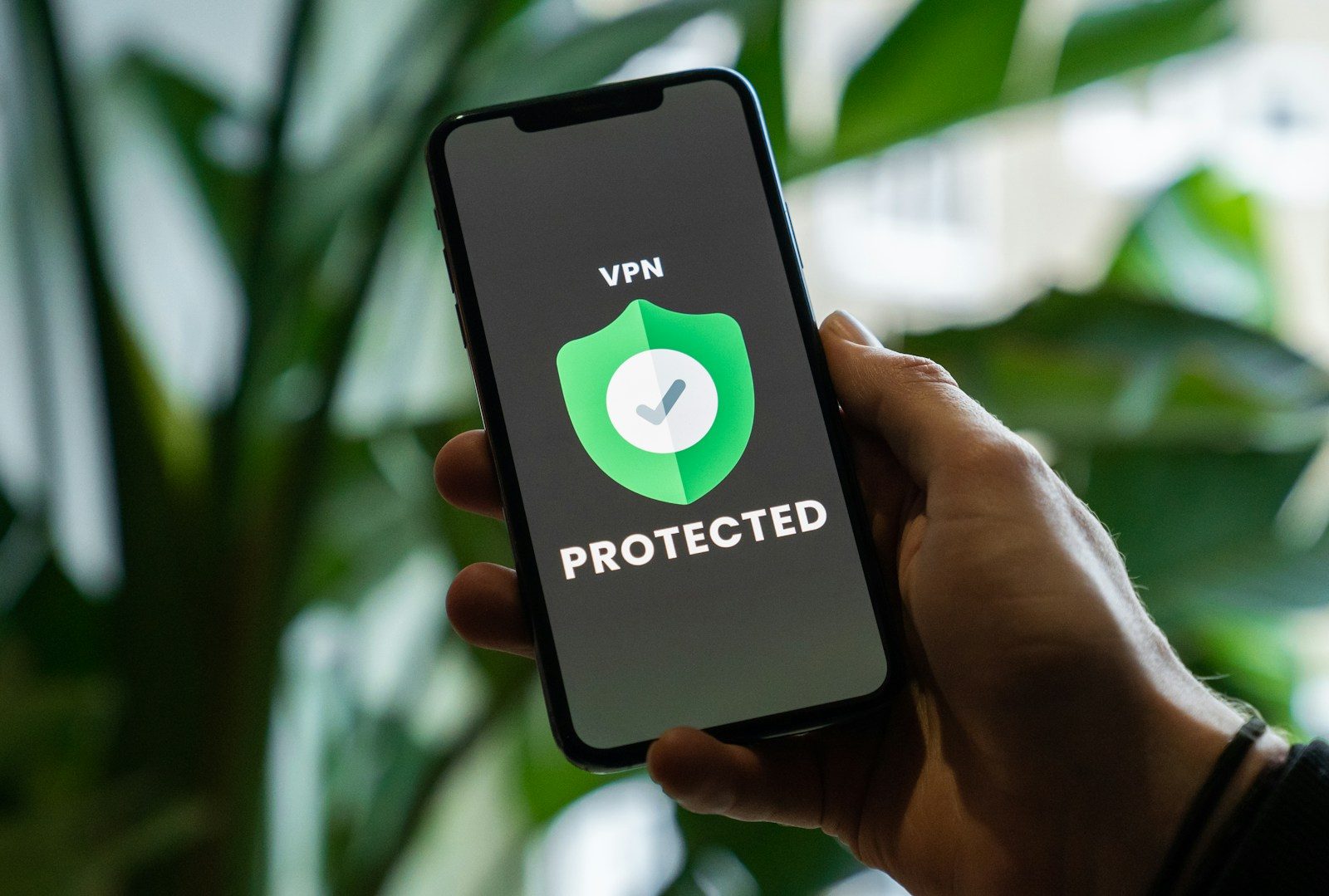
Remote work has made VPNs essential professional infrastructure — not optional security software.
When you work from a coffee shop, coworking space, airport lounge, or client office, your internet connection is shared with strangers. Without a VPN, your business communications, client data, and login credentials are potentially visible to anyone on the same network with basic interception tools.
Beyond security, VPNs matter for professionals in three additional contexts. Canadian professionals working with US clients frequently need to access US-based services without geographic restrictions. Remote workers connecting to corporate networks require VPN access for compliance reasons. And professionals handling client data subject to PIPEDA or other privacy regulations have a due diligence obligation to protect that data in transit.
The problem is that the VPN market is saturated with misleading claims, opaque privacy practices, and aggressive marketing that makes it genuinely difficult to identify which services are trustworthy and which are not.
This guide cuts through that noise. Every recommendation is based on independently verified privacy practices, performance testing, and practical professional use — not affiliate revenue optimization.
- What to Look for in a Professional VPN
- Quick Comparison Table
- 1. NordVPN — Best Overall VPN for Professionals
- 2. ExpressVPN — Best for Speed-Critical Professional Use
- 3. Surfshark — Best Value VPN for Professionals
- 4. ProtonVPN — Best for Privacy-Focused Professionals
- 5. Mullvad — Best for Maximum Anonymity
- VPNs Worth Avoiding
- VPN Use Cases for Canadian Professionals
- How to Set Up Your VPN: A Quick Start Guide
- FAQ
- Conclusion
What to Look for in a Professional VPN
Before comparing specific services, understand the criteria that actually matter for professional use.
No-logs policy — independently audited: A VPN provider’s claim that they do not log your activity is only as credible as the evidence supporting it. The gold standard is an independent third-party audit of the provider’s infrastructure and practices. Several providers have undergone these audits. Many have not. For professional use, an audited no-logs policy is non-negotiable.
Jurisdiction: Where a VPN provider is legally incorporated determines which government agencies can compel them to hand over user data. Providers incorporated in countries outside the Five Eyes intelligence alliance — the US, UK, Canada, Australia, and New Zealand — have stronger legal protections against government data requests. This matters more for high-sensitivity professional contexts than for typical remote work use.
Connection speed and reliability: A VPN that significantly degrades your connection speed is a VPN you will not use consistently. Professional VPN use requires speeds adequate for video calls, large file transfers, and cloud-based work without noticeable lag. The providers in this guide have been tested for real-world professional performance.
Kill switch: A kill switch automatically disconnects your internet if the VPN connection drops — preventing your unprotected IP address and traffic from being exposed during reconnection. For professional use, a reliable kill switch is essential.
Device compatibility: Most professionals work across multiple devices — laptop, phone, and sometimes tablet. A professional VPN should cover all devices with a single subscription and support simultaneous connections.
Customer support: When a VPN fails during a client meeting or before a critical deadline, responsive support matters. Look for providers with 24/7 live chat support.
Quick Comparison Table
| VPN | Jurisdiction | Audited No-Logs | Speed | Price/Month | Best For |
|---|---|---|---|---|---|
| NordVPN | Panama | ✅ Yes | Excellent | $3.09–$4.99 | Best overall |
| ExpressVPN | British Virgin Islands | ✅ Yes | Excellent | $6.67–$8.32 | Speed priority |
| Surfshark | Netherlands | ✅ Yes | Very Good | $2.19–$2.49 | Best value |
| ProtonVPN | Switzerland | ✅ Yes | Good | $4.99–$9.99 | Privacy priority |
| Mullvad | Sweden | ✅ Yes | Good | €5/month flat | Maximum anonymity |
Prices reflect annual plan rates as of early 2026. Monthly rates are higher.
1. NordVPN — Best Overall VPN for Professionals
NordVPN is the most widely used premium VPN service in North America, and its position at the top of most professional recommendations is earned rather than manufactured.
Why it stands out:
NordVPN has undergone multiple independent audits of its no-logs policy by PricewaterhouseCoopers and Deloitte — two of the most credible audit firms available. Its infrastructure is incorporated in Panama, outside Five Eyes jurisdiction. Its performance on speed tests consistently ranks among the best available, with minimal impact on video call quality and file transfer speeds.
Key features for professionals:
- Threat Protection Pro — blocks malware, trackers, and intrusive ads at the network level without requiring a separate browser extension
- Meshnet — allows secure connections between your own devices and trusted colleagues’ devices without routing through NordVPN servers, useful for remote teams
- Split tunneling — routes only selected apps through the VPN, allowing local network access while protecting sensitive traffic
- 6 simultaneous device connections
- 6,400+ servers across 111 countries
- 24/7 live chat support
Performance reality: In independent speed tests, NordVPN reduces connection speeds by approximately 10–15% on fast connections — imperceptible for most professional use cases including HD video calls and large file uploads.
Canadian-specific note: NordVPN has Canadian servers and handles CAD billing directly, avoiding currency conversion fees for Canadian subscribers.
Pricing: Basic plan from $3.09 USD/month on a 2-year plan. Plus plan (including Threat Protection) from $4.99/month. Note that advertised prices reflect the lowest available tier on the longest commitment — month-to-month pricing is significantly higher.
Verdict: The strongest combination of verified privacy, performance, features, and price available for professional use.
2. ExpressVPN — Best for Speed-Critical Professional Use
ExpressVPN has built its reputation on connection speed, and that reputation is justified. In consistent independent testing, ExpressVPN delivers the fastest speeds of any major VPN provider — making it the strongest choice for professionals whose work involves frequent large file transfers, 4K video review, or high-bandwidth collaborative tools.
Why it stands out:
ExpressVPN’s Lightway protocol — its proprietary connection technology — delivers speeds that approach unprotected connections on fast internet connections. For professionals who have found other VPNs too slow for demanding work, ExpressVPN is typically the solution.
Its incorporation in the British Virgin Islands — outside Five Eyes jurisdiction — and independently audited no-logs policy provide strong privacy credentials, though NordVPN’s more recent and comprehensive audits give it a slight edge on verifiable privacy claims.
Key features for professionals:
- Lightway protocol for maximum speed
- Network Lock kill switch
- Split tunneling on all platforms
- DNS leak protection
- 8 simultaneous device connections
- 3,000+ servers in 105 countries
- 24/7 live chat support
Where it falls short: ExpressVPN is the most expensive premium VPN on this list. For professionals who do not specifically need maximum speed, NordVPN or Surfshark deliver better value.
Pricing: From $6.67 USD/month on a 12-month plan. No 2-year plan option, which limits the discount available compared to NordVPN.
Verdict: The best choice for professionals who prioritize speed above all else and are willing to pay a premium for it.
3. Surfshark — Best Value VPN for Professionals
Surfshark delivers professional-grade VPN capability at a price point that makes it the most accessible premium option on this list. Its standout feature for professionals is unlimited simultaneous connections — a single subscription covers every device you own and every device your household members use.
Why it stands out:
For professionals managing multiple devices — work laptop, personal laptop, phone, tablet — or small teams looking to cover multiple employees under a single subscription, Surfshark’s unlimited device policy is a meaningful practical advantage.
Its no-logs policy has been independently audited, its jurisdiction is the Netherlands under Dutch law, and its performance is competitive with the premium options above — particularly on European servers.
Key features for professionals:
- Unlimited simultaneous connections
- CleanWeb — blocks ads, trackers, and malware
- Alternative ID — generates masked email addresses for online registrations, useful for reducing spam and protecting professional email addresses
- NoBorders mode — designed for use in restrictive network environments
- 3,200+ servers in 100 countries
- 24/7 live chat support
Where it falls short: Surfshark’s speed performance is slightly below NordVPN and ExpressVPN on North American servers in independent testing — though the difference is rarely noticeable for standard professional use cases.
Pricing: From $2.19 USD/month on a 2-year plan — the lowest price among recommended professional VPNs. Starter plan covers core VPN features. One plan adds antivirus. Prime adds data breach monitoring and identity protection.
Verdict: The best choice for professionals who want proven privacy protection and strong performance at the lowest cost, or who need to cover multiple devices or family members under one subscription.
4. ProtonVPN — Best for Privacy-Focused Professionals
ProtonVPN is operated by Proton AG — the Swiss company behind ProtonMail, one of the most trusted encrypted email services available. Its incorporation in Switzerland provides some of the strongest legal privacy protections available outside Europe, with Swiss law creating significant barriers to government data requests.
Why it stands out:
ProtonVPN is the most transparent VPN provider on this list. Its client applications are fully open source — meaning the code is publicly available for independent security researchers to audit. This level of transparency is rare in the VPN industry and provides a meaningful additional layer of confidence in its security claims.
For professionals handling genuinely sensitive information — legal, medical, financial, or political — ProtonVPN’s combination of Swiss jurisdiction, open-source code, audited no-logs policy, and reputation built on ProtonMail’s decade of privacy-focused operation makes it the most credible choice.
Key features for professionals:
- Open-source applications on all platforms
- Secure Core architecture — routes traffic through privacy-friendly countries before exiting
- NetShield ad and malware blocker
- Tor over VPN support
- 10 simultaneous device connections
- 9,600+ servers in 112 countries
Where it falls short: ProtonVPN’s free tier is genuinely functional — making it the only recommended free VPN option for professionals — but paid plan pricing is higher than NordVPN and Surfshark for equivalent features.
Pricing: Free tier available with unlimited data on a limited server selection — suitable for occasional use. VPN Essentials from $4.99 USD/month. Proton Unlimited (includes ProtonMail, ProtonDrive, and ProtonCalendar) from $9.99/month.
Verdict: The strongest choice for professionals with high privacy requirements or those who value maximum transparency in their security tools.
5. Mullvad — Best for Maximum Anonymity
Mullvad occupies a unique position in the VPN market. It does not ask for your email address when you sign up. It generates a random account number. It accepts cash payments by mail. Its entire business model is built around knowing as little about its users as possible.
For the vast majority of business professionals, this level of anonymity is unnecessary. For professionals working in sensitive contexts — investigative journalism, legal defense, political advocacy, or security research — Mullvad’s approach to user anonymity is genuinely valuable.
Key features:
- No email required for account creation
- Accepts cash and cryptocurrency payments
- Open-source applications
- WireGuard and OpenVPN protocol support
- Flat pricing — no tiered plans, no upsells
- 5 simultaneous device connections
Where it falls short: Fewer servers than the other providers on this list. No 24/7 live chat support. The interface is functional but less polished than NordVPN or ExpressVPN.
Pricing: €5/month flat — no annual discount, no promotional pricing. Pricing transparency is part of Mullvad’s identity.
Verdict: For professionals who require maximum anonymity rather than maximum features or lowest price.
VPNs Worth Avoiding
The VPN market contains many providers that do not meet professional standards. The following categories warrant specific caution.
Free VPNs (with exceptions): The economics of VPN provision require either charging users or monetizing user data in some other way. Most free VPNs monetize data — the exact behavior a VPN is supposed to prevent. ProtonVPN’s free tier is the notable exception, with a credible no-logs policy and transparent business model. Outside of ProtonVPN, free VPNs are not appropriate for professional use.
VPNs without independent audits: A no-logs policy that has not been independently verified is a marketing claim, not a credible commitment. Any provider unwilling to submit to independent audit of its privacy practices should be treated with skepticism.
VPNs incorporated in Five Eyes countries: Providers incorporated in the US, UK, Canada, Australia, or New Zealand are subject to government data requests that providers in other jurisdictions can more easily decline. For most professional use cases this is a secondary concern — but it is worth noting.
VPN Use Cases for Canadian Professionals
Canadian professionals have several specific VPN use cases worth addressing.
Remote work on public networks: The most common professional VPN use case. Any time you connect to a network you do not control — a coworking space, café, hotel, or client office — a VPN protects your business traffic from interception. This is basic professional security hygiene in 2026.
Accessing US-based services: Canadian professionals working with US clients occasionally encounter geographic restrictions on US-based services. A VPN with US servers resolves this transparently.
Corporate network access: Many organizations require VPN connections for access to internal systems when working remotely. This is typically handled by a company-provided VPN rather than a personal one — but personal VPN use alongside corporate VPN is common and generally acceptable.
PIPEDA compliance considerations: Canadian privacy law does not mandate VPN use specifically, but the obligation to protect personal information in transit is established. Using a reputable VPN when handling client personal data on public networks is a reasonable and defensible due diligence measure.
How to Set Up Your VPN: A Quick Start Guide
Setting up a professional VPN takes less than 10 minutes.
Step 1: Choose your provider based on the criteria above. For most professionals, NordVPN or Surfshark are the appropriate starting points.
Step 2: Subscribe to an annual or 2-year plan. Monthly plans are significantly more expensive and appropriate only if you are uncertain whether you will continue using the service.
Step 3: Download the application for your operating system from the provider’s official website — not from third-party sources.
Step 4: Log in and connect. For most use cases, the automatic server selection feature connects you to the fastest available server. No manual configuration is required for standard professional use.
Step 5: Enable the kill switch in your application settings. This ensures your connection reverts to unprotected status if the VPN drops unexpectedly.
Step 6: Consider enabling split tunneling if you need local network access — for printing, local file sharing, or accessing your home network — while routing business traffic through the VPN.
Total setup time: under 10 minutes.
FAQ
Do I need a VPN if I work from home on my own network? For most home network use, a VPN provides limited security benefit — your home router provides reasonable isolation from external threats. The primary value of a VPN for home-based professionals is privacy from your ISP and preparation for occasional work from public networks. If you never work outside your home, VPN priority is lower.
Will a VPN slow down my internet connection enough to affect video calls? With a quality provider, the impact on video call quality is minimal. NordVPN and ExpressVPN reduce connection speeds by 10–15% in testing — imperceptible at typical broadband speeds. On slower connections (under 10 Mbps), speed impact may be more noticeable.
Can my employer see what I am doing if I use a personal VPN on a work device? A personal VPN protects your traffic from your ISP and network-level observers. It does not prevent monitoring software installed on your device by your employer from observing your activity. If your organization has device management software installed, it may still log your activity regardless of VPN use.
Is using a VPN legal in Canada? Yes. VPN use is legal in Canada for legitimate purposes. Using a VPN to circumvent contractual restrictions — such as streaming service geographic licenses — may violate terms of service, but is not illegal under Canadian law.
How much should I expect to pay for a professional VPN? A quality annual VPN subscription costs $30–$100 CAD per year on a 2-year plan. Month-to-month pricing is typically 2–3 times higher. For the security benefit provided, this is among the highest-ROI professional software purchases available.
Conclusion
A VPN is not a luxury for remote professionals — it is basic security infrastructure that costs less than most monthly software subscriptions.
The providers on this list are all credible choices with verified privacy practices and performance adequate for professional use. The right choice depends on your specific priorities: NordVPN for the best overall balance, ExpressVPN for maximum speed, Surfshark for the best value and unlimited devices, ProtonVPN for maximum privacy transparency, and Mullvad for maximum anonymity.
Avoid free VPNs outside of ProtonVPN’s free tier. Avoid providers without independent audits. Choose annual billing over monthly to reduce cost.
Set it up, enable the kill switch, and use it consistently on any network you do not control.


Comments